
Do you want to dig deeper into your analytics data and find out which search terms (keywords) you are ranking for and are driving the most amount of traffic to your website?
If that was a yes, you have come to the right place.
Many a time, I have noticed bloggers and business owners using Google Analytics on their website without realizing its full potential. They think that it’s just for tracking website visitors. But the thing is, you can use Google Analytics to track keywords for which you are ranking on search engine result pages and more.
In this article, I will show you how to find the keywords people use to find your website right from the WordPress dashboard. But before that, let’s see the benefits of tracking it in the first place.
Benefits of tracking the keywords
If you are wondering why you should track the keywords you are ranking for, here are a few reasons –
- Can help you find if and where you are ranking for your ‘target keywords’
- Can help you gauge the performance of your content marketing efforts
- Can help you discover other valuable keywords with low competition that you can concentrate on
- Can help you build a good silo structure for SEO
- Can help you find and filter out negative keywords
How to see the keywords people search on Google to find your site
The best way to find the keywords people are using to find your site on Google is by making use of the Google Search Console. It is a free tool offered by Google which helps you track your site’s performance on Google, get alerted on issues that may be affecting your site, and more.
But if you want to view the keywords from within your WordPress dashboard, you need to use a WordPress analytics plugin like MonsterInsights to fetch the data from Google and display it in your backend. You can find more about it from my MonsterInsights review.
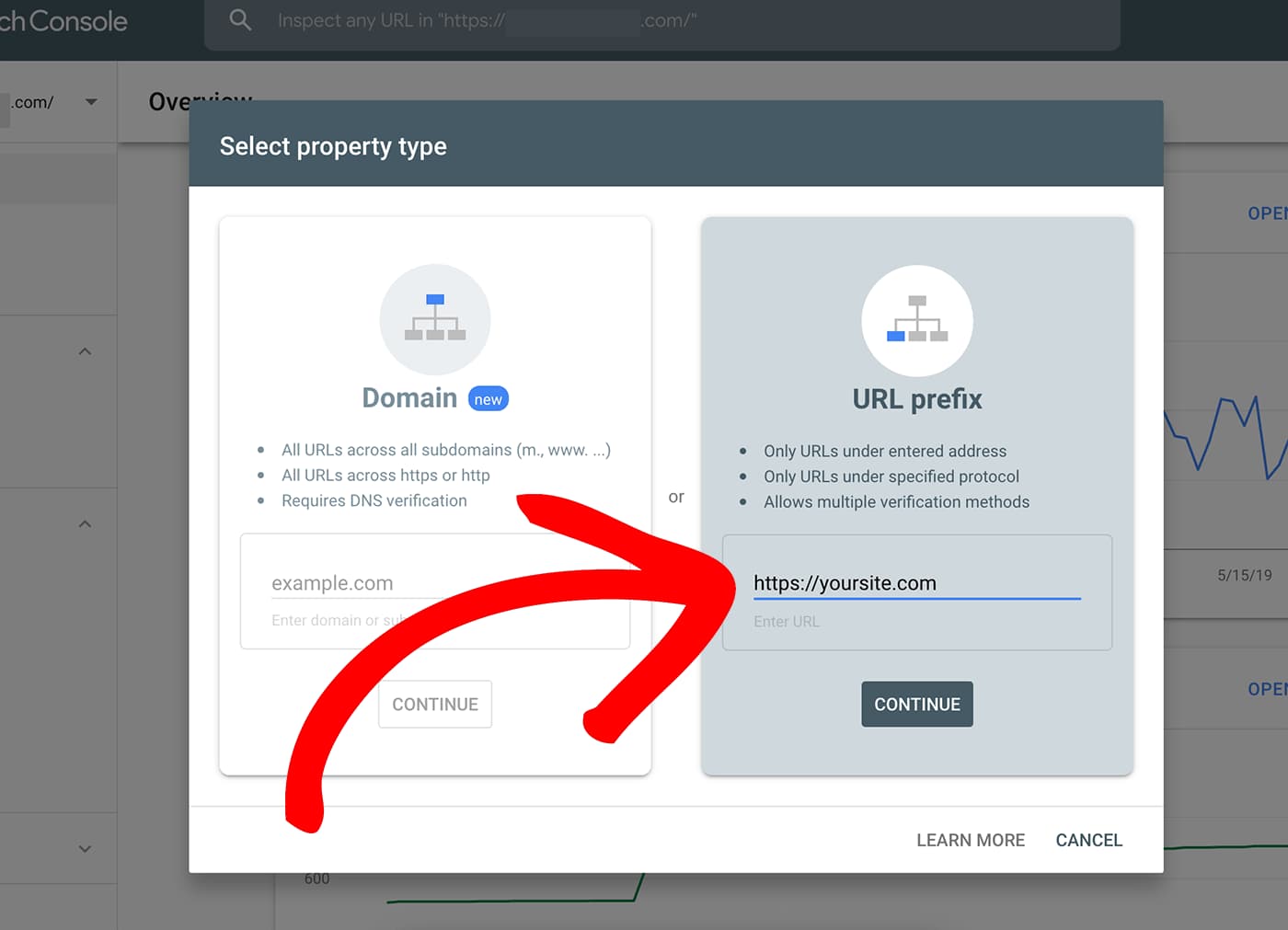
Add your website to Google Search Console
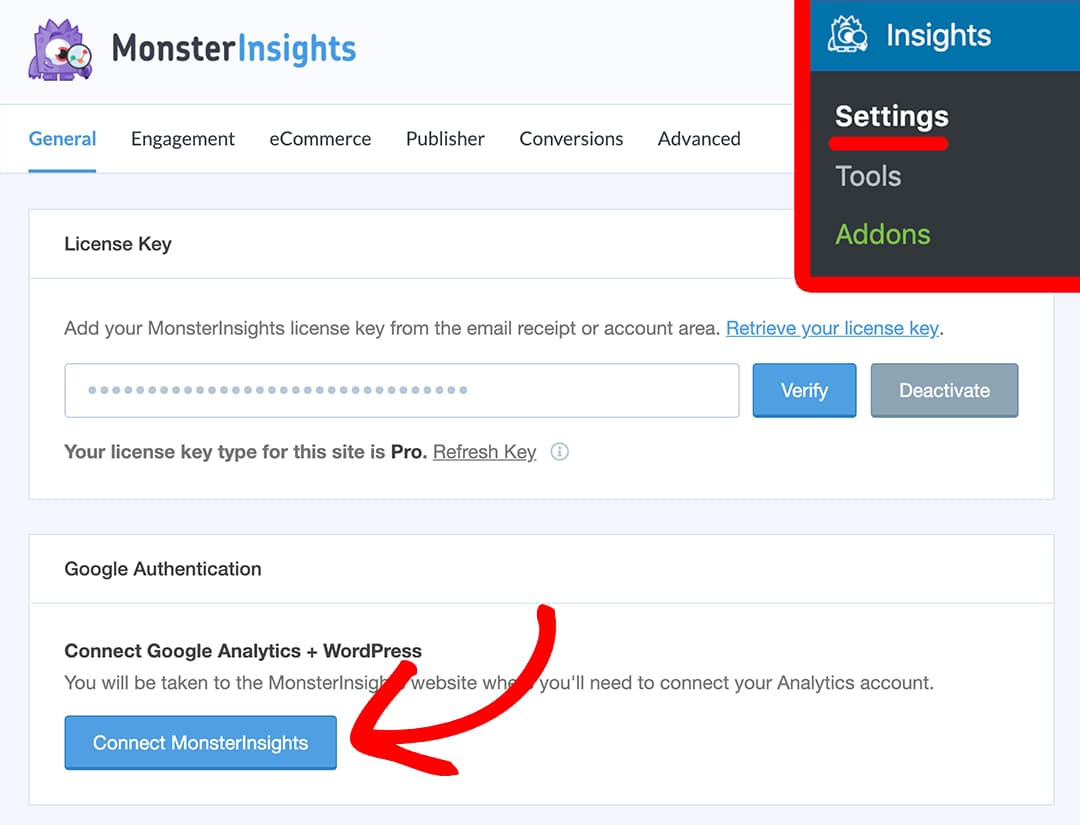
Add Google Analytics tracking code to your website
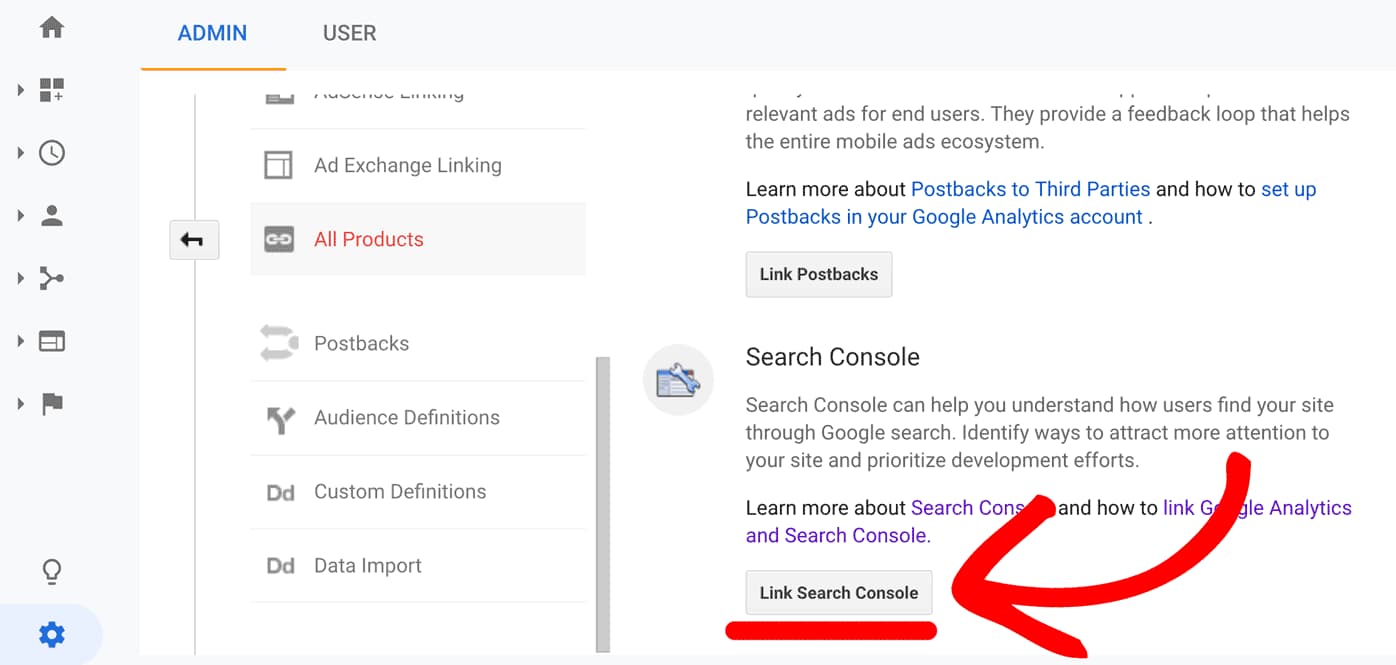
Link Google Search Console and Google Analytics
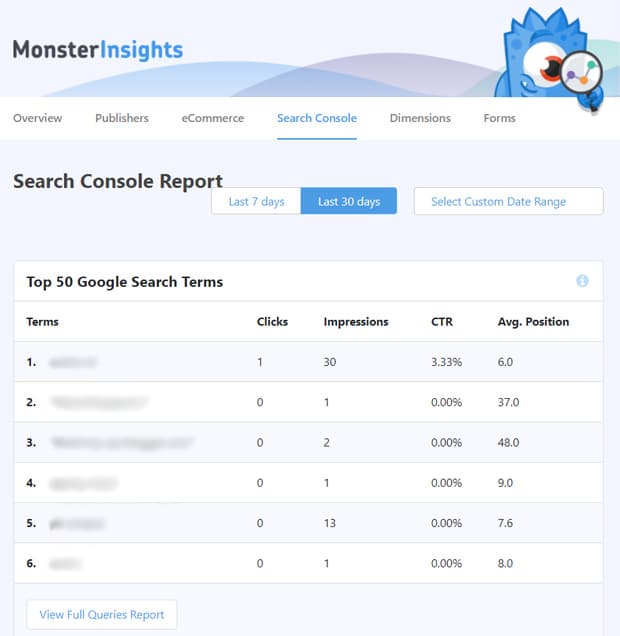
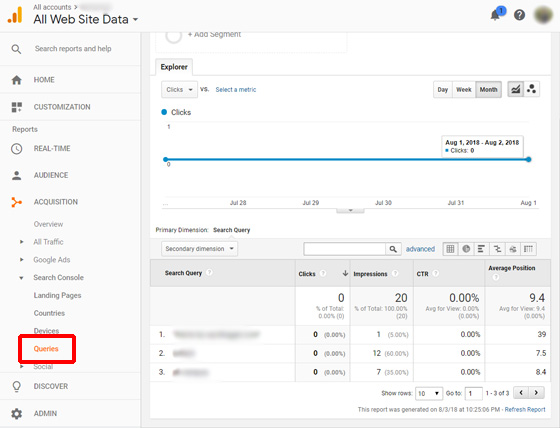
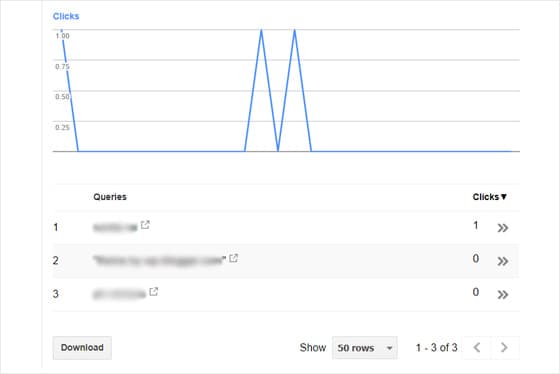
View Search Console report
Google Analytics Method
Search Console Method
So, that was it. You now know how to track the keywords people use to find your website.
Get MonsterInsights
Apart from helping you find what keywords you are ranking for right from the WordPress dashboard, MonsterInsights can help you track scroll depth, set up enhanced eCommerce tracking, and monitor form abandonment rates. Oh, and it can help make your website GDPR compliant. Make sure you check out all its features before downloading.
So, how was this article? Were you able to follow the steps and connect your Analytics property with Search Console? Let me know in the comments below!
Discover more from Antony Agnel
Subscribe to get the latest posts sent to your email.
 Antony Agnel