
As a business or WordPress site owner, there may be times when you need to go through the email logs on your site. Email logs can help you determine the exact date and time when an email was sent, whether it was delivered or not, and to whom it was sent.
Email logging is a powerful feature that comes in handy when you are troubleshooting lost emails, issues with your email server, and more. It can also help you debug and find the root cause of issues with your email deliverability. Other times, it just remains in the background doing its job — silently logging all emails sent from your server.
How to set up WordPress email logs
To log WordPress emails on your site, you need WP Mail SMTP Pro.
WP Mail SMTP Pro is the premium version of the free WP Mail SMTP plugin which I had earlier covered in my WordPress SMTP guide. The free plugin comes with options to configure popular email service providers like Mailgun, SendGrid, Gmail, and Sendinblue as your WordPress SMTP but doesn’t allow you to view email logs on your site.
By upgrading to WP Mail SMTP Pro, you can view the email logs right from your WordPress dashboard and also use Amazon SES or Microsoft Outlook as your WordPress mailer.
(Comes with 14 days money-back guarantee)
Download WP Mail SMTP Pro
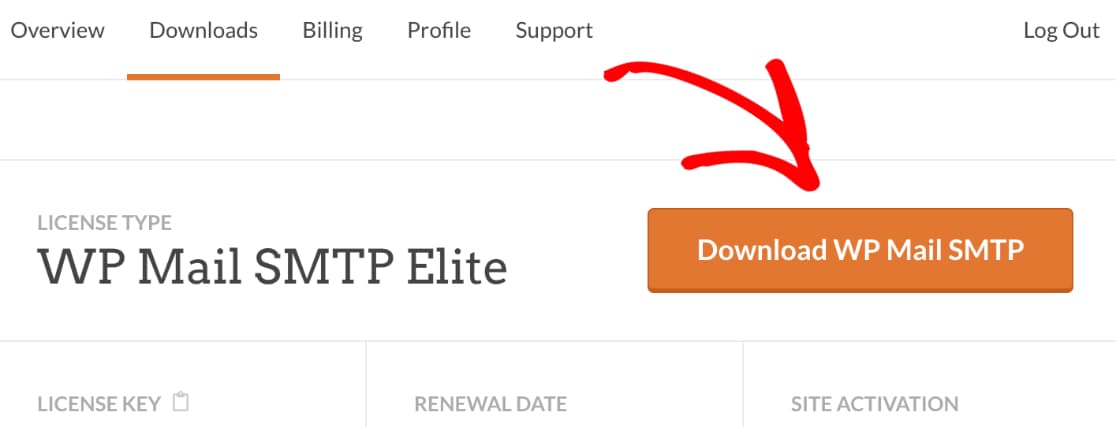
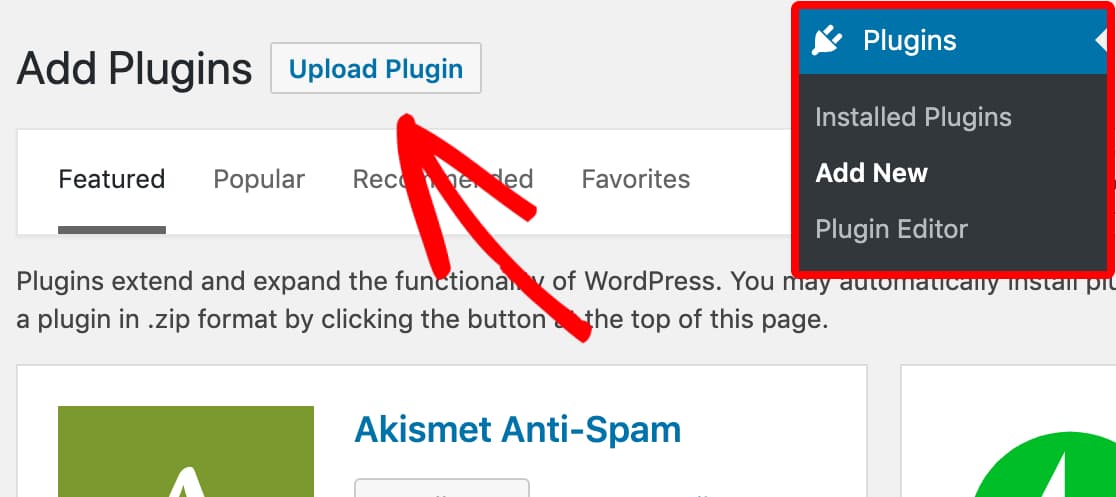
Install and activate WP Mail SMTP Pro
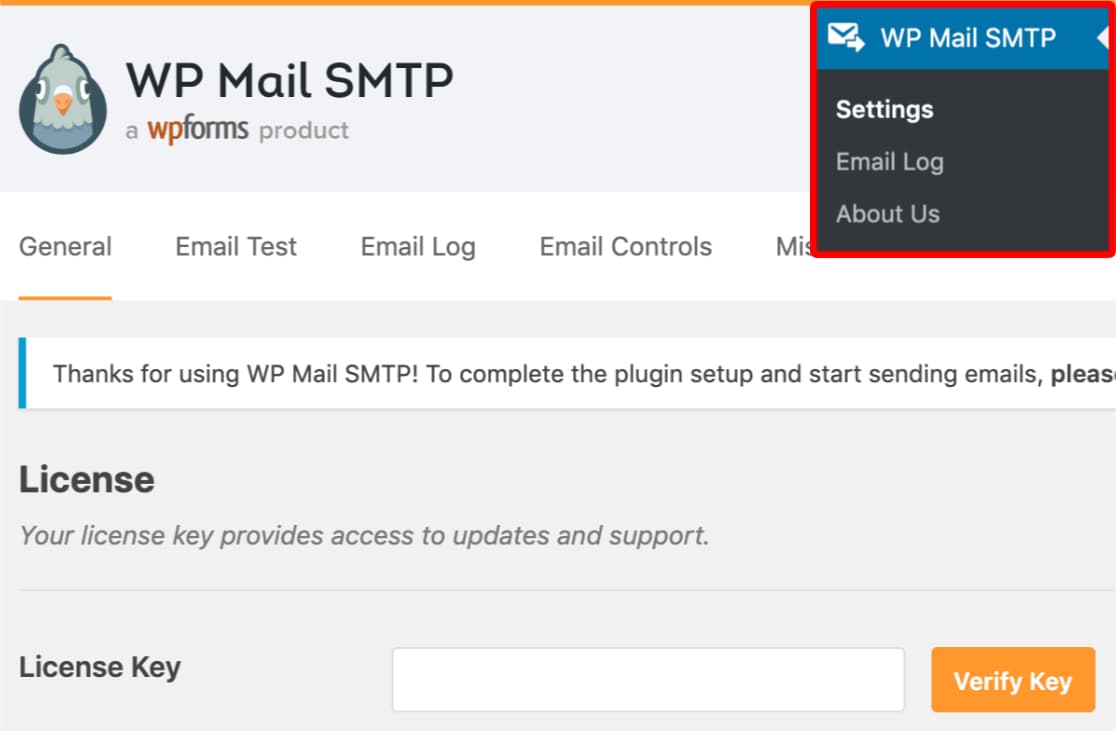
Verify your license key
If your license key is valid, it will display a success message along with your plan details under the License Key section (Pro/Elite/Developer/Agency).
Navigate to the Email Log section
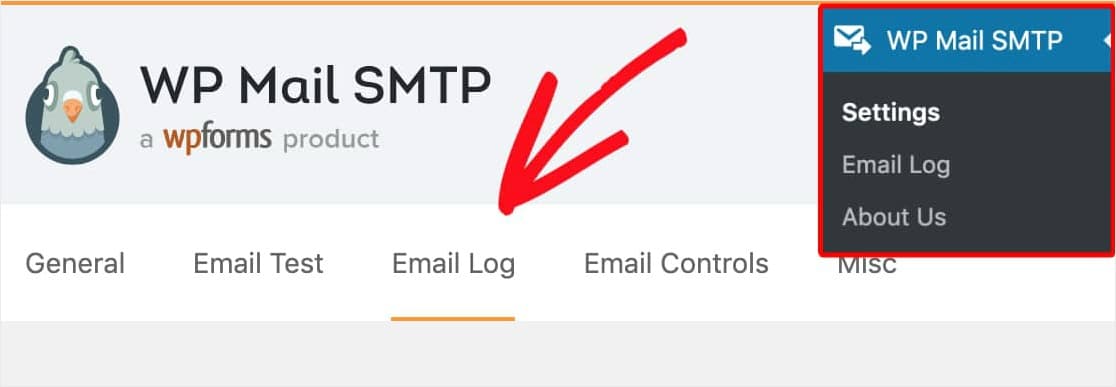
Enable email logging
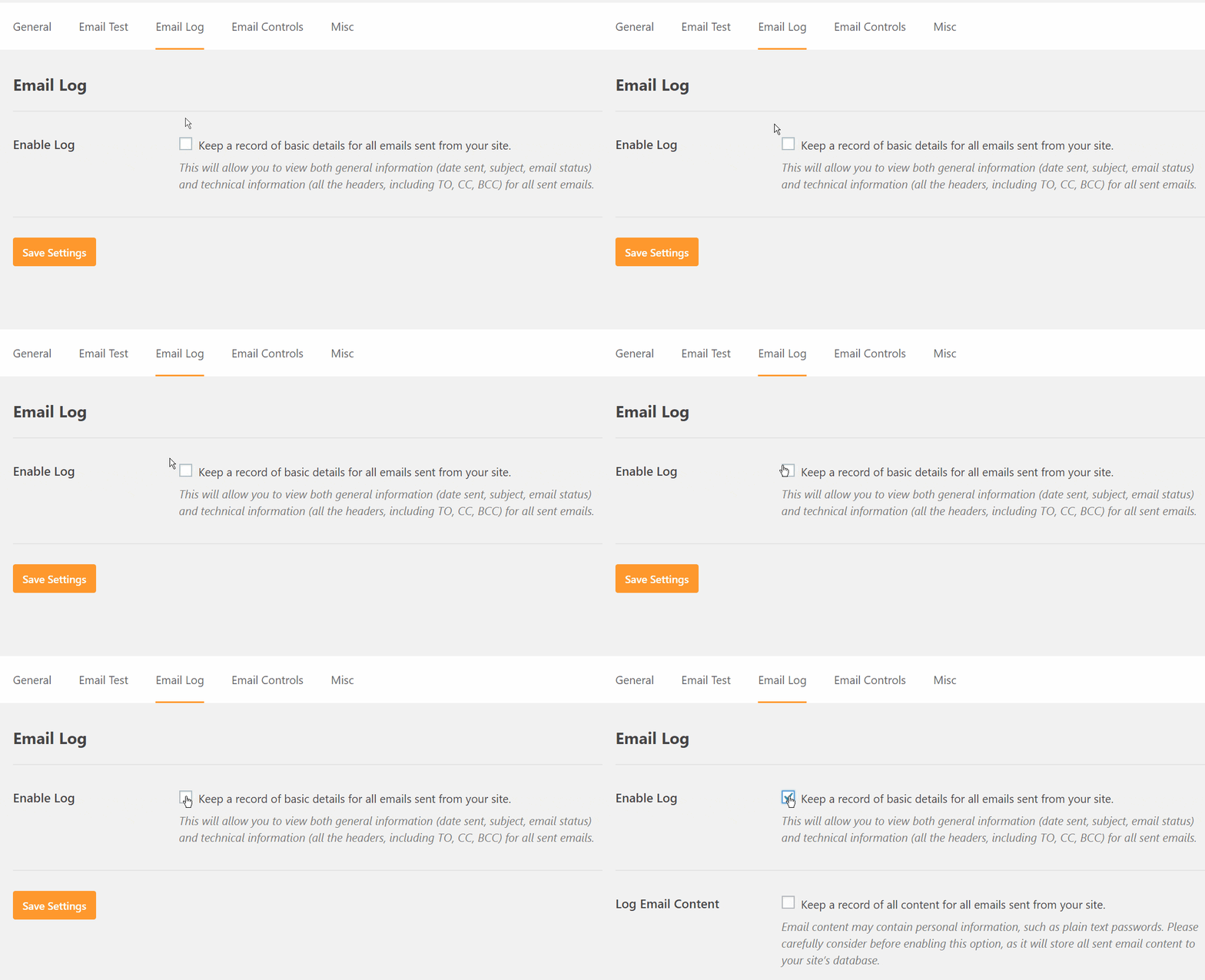
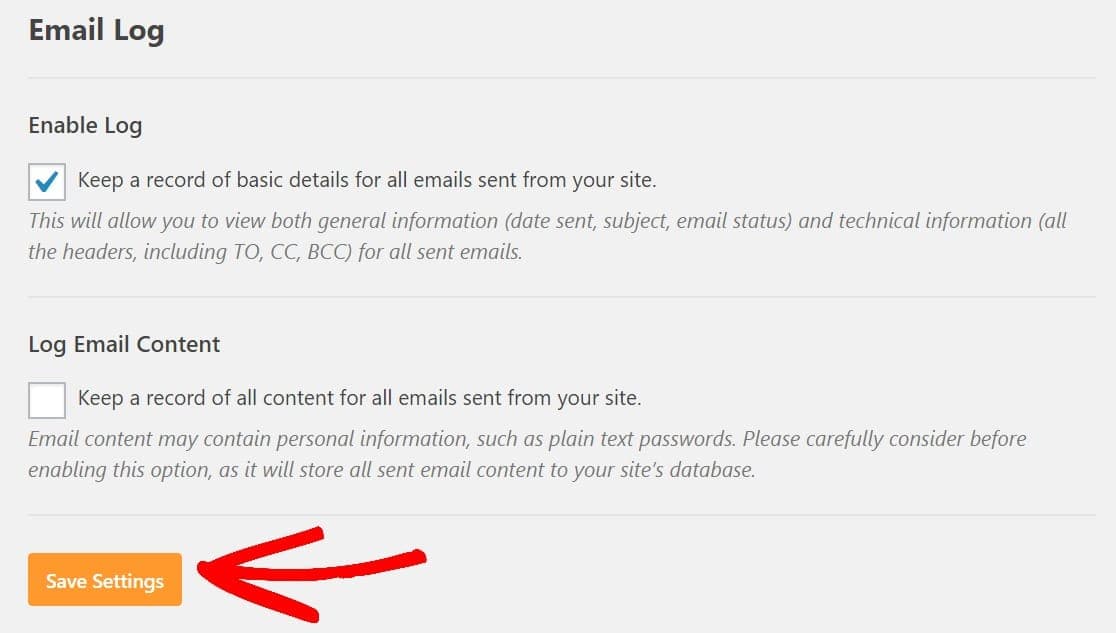
Log email content (optional)
NOTE: Do not enable this feature unless necessary because it stores the content of the email as plaintext in your site’s database. You can learn more about WordPress security from here.
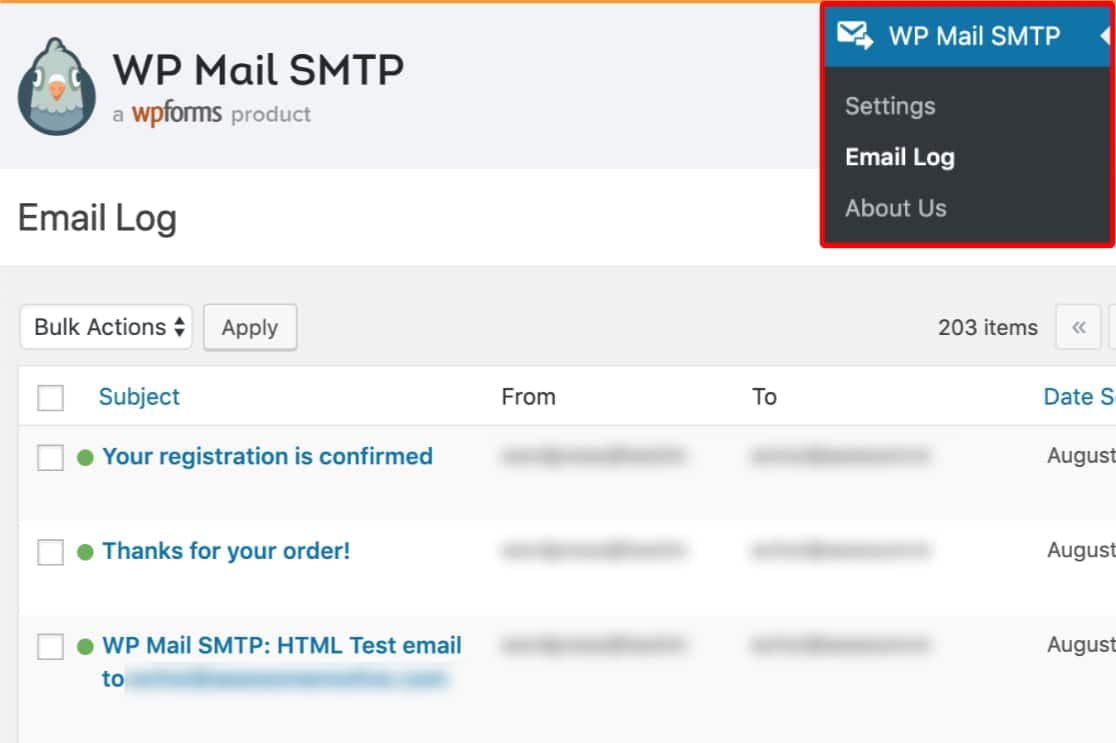
View all WordPress email logs
View individual email logs
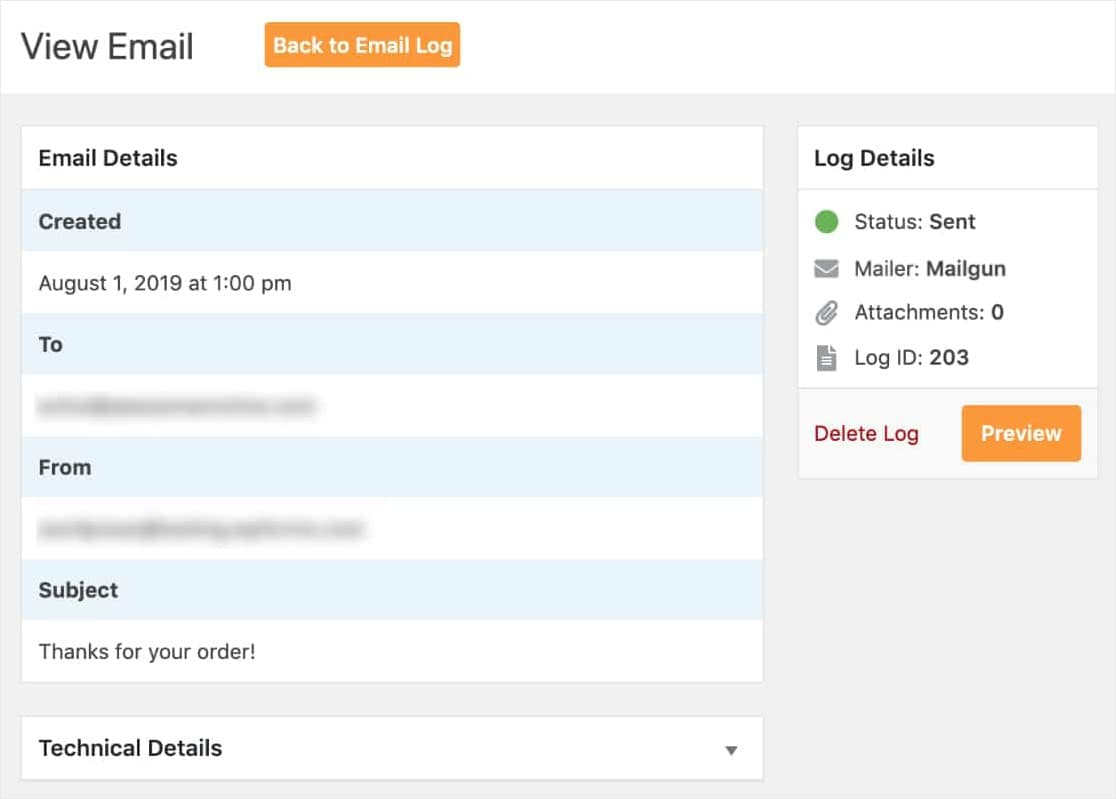
That’s it, you have now successfully configured WordPress to log every email sent out from your website.
Conclusion
Did you find the article easy to read and follow the instructions? You can share your feedback in the comment section below outlining your experience along with what went well and what didn’t. This way, anyone else who stumbles upon this page might find it useful.
Discover more from Antony Agnel
Subscribe to get the latest posts sent to your email.
 Antony Agnel