
It is a known fact that Google Analytics doesn’t track files out of the box. But with some additional work from our end, we can make it work. In this article, I will show you how to properly track file downloads on WordPress using Google Analytics.
But before that, let’s see why you must track file downloads on your site.
Why you should track file downloads
Tracking file downloads on your site helps you understand which file downloads are performing the best and which file types are the most downloaded on your site.
For example, let’s assume that you are running an educational resource site. Tracking file downloads can help you find which subject eBooks are being downloaded the most and what type of resource the students are interested in downloading (PDF, DOC, or PPT files). It’ll also give you more insights into their studies pattern.
How to track file downloads on your site
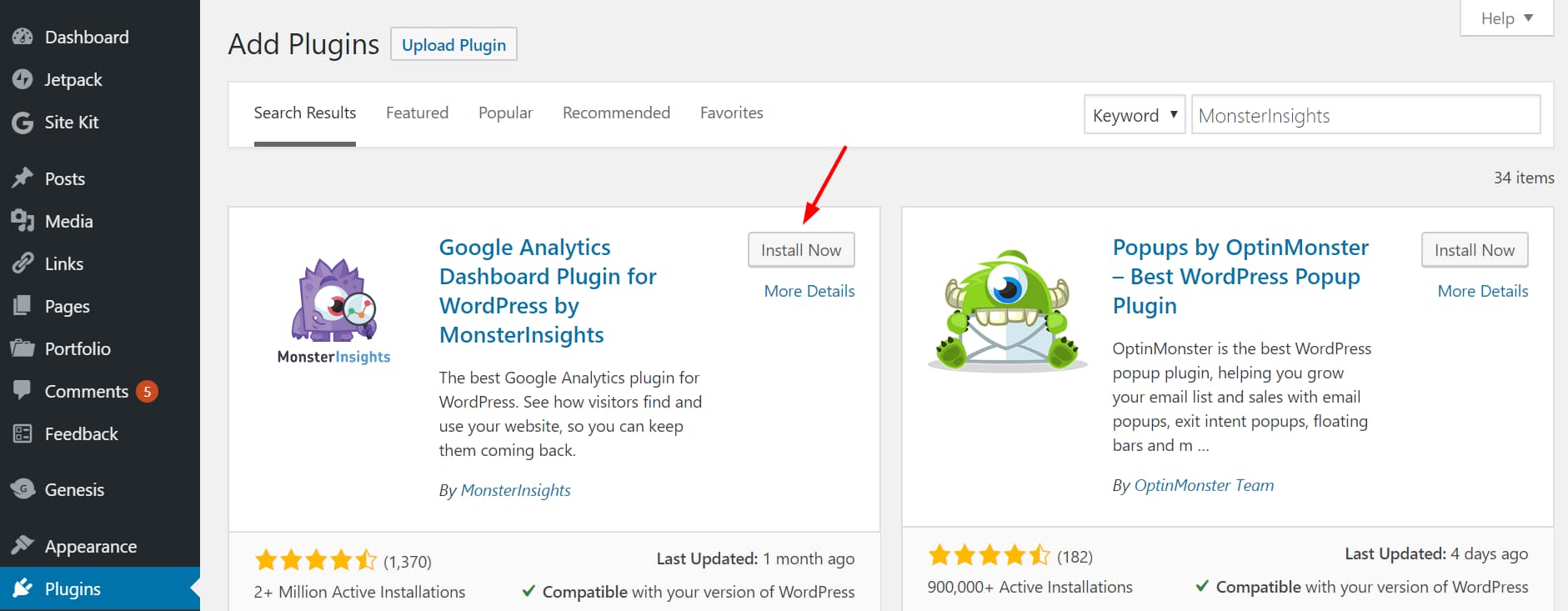
The trick is to make Google Analytics record file downloads as events on your site. We can do this by logging an event whenever someone clicks on the download links on your site. The simplest way to do that is by installing MonsterInsights on your site.
MonsterInsights is the best Google Analytics plugin for WordPress. It can help you track not only file downloads but also forms, AMP pages, and affiliate links. You can read more about it in my MonsterInsights review. Get MonsterInsights from the link below 👇
(Comes with 14 days money-back guarantee)
NOTE: If you don’t need all the powerful analytics features offered by MonsterInsights Pro, you can install the lite version of the plugin.
Install and activate MonsterInsights
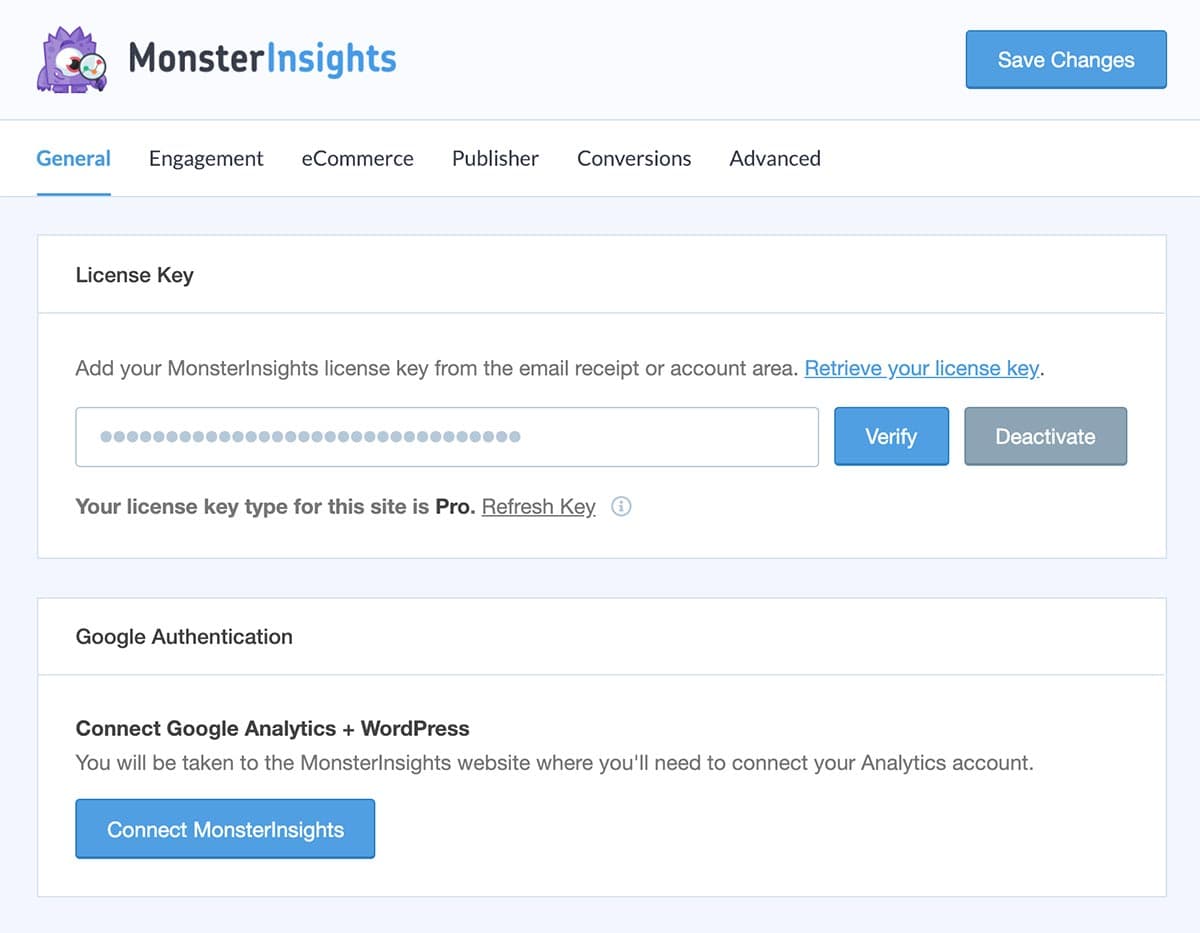
Configure MonsterInsights
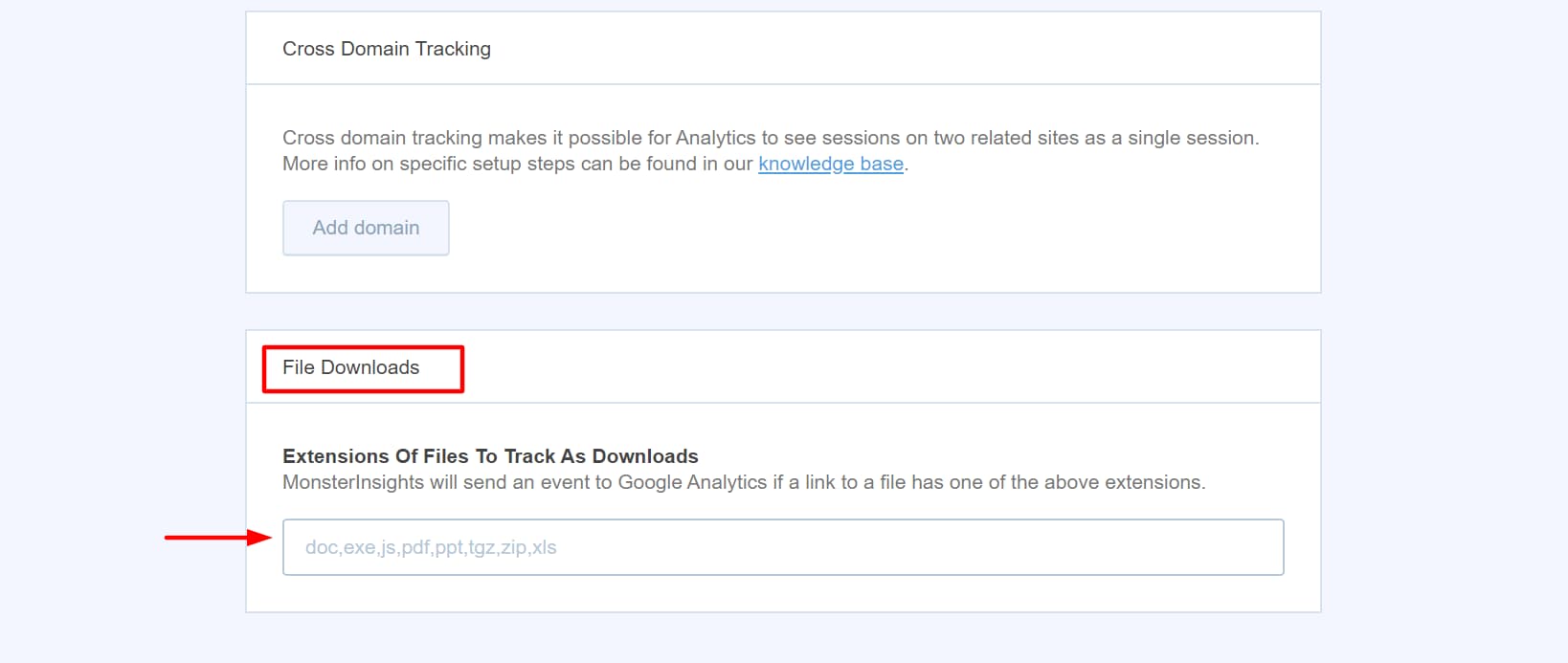
Enable File Downloads Tracking
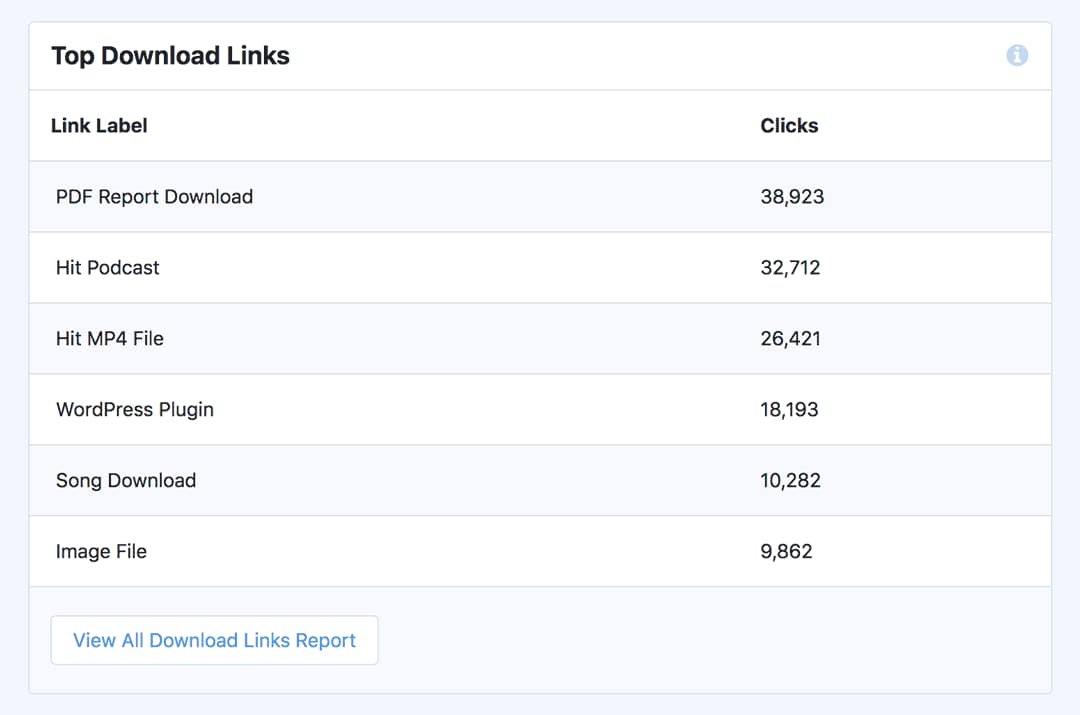
View tracking report from the dashboard
Now, navigate to Insights –> Report –> Publishers Report and scroll down to view your download report.
View tracking reports on Google Analytics
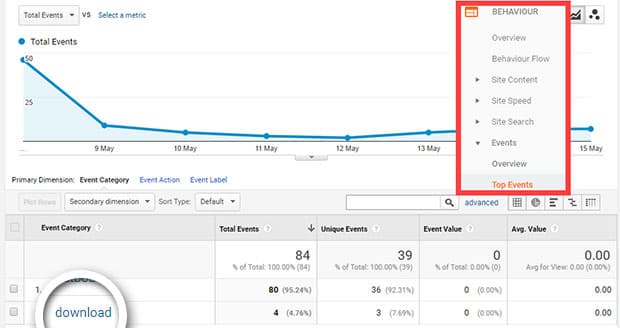
View real-time data
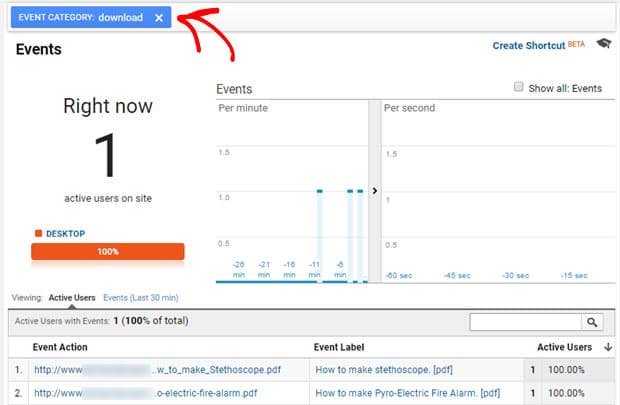
That’s it. You have now successfully configured Google Analytics on your WordPress site to track file downloads.
Did you find this guide useful? Share it with your friends and fellow bloggers on social media using the buttons below!
Discover more from Antony Agnel
Subscribe to get the latest posts sent to your email.
 Antony Agnel