
By default, Google Analytics does not track the performance of articles categorized by each author on your website. So, it becomes difficult for you to find which author’s articles are performing the best in a multi-author setup. This data can help you take some important business decisions like whether or not you need to retain specific authors, which authors deserve more compensation and bonuses, etc.
Author tracking in Google Analytics can give you some valuable insights into the performance of your blog authors. With author tracking, you can discover the most popular author of your blog, sort page views for articles by author, see which author’s posts keep visitors on your site by analyzing the bounce rate, and get instant WordPress author stats for optimization.
But to track authors, you need to add Author as a custom dimension in Google Analytics.
In this article, I am going to show you how to set up author tracking in WordPress using Google Analytics and MonsterInsights, the best Google Analytics plugin for WordPress. You can find more about it in my MonsterInsights review.
How to set up author tracking in Google Analytics
To set up author tracking on your WordPress site, you will be needing MonsterInsights Pro. As the name suggests, it’s the premium version of the free MonsterInsights plugin that comes with a whole lot of other benefits including file downloads tracking, keyword tracking, form abandonment tracking, scroll depth tracking, enhanced eCommerce tracking, and more.
Install MonsterInsights

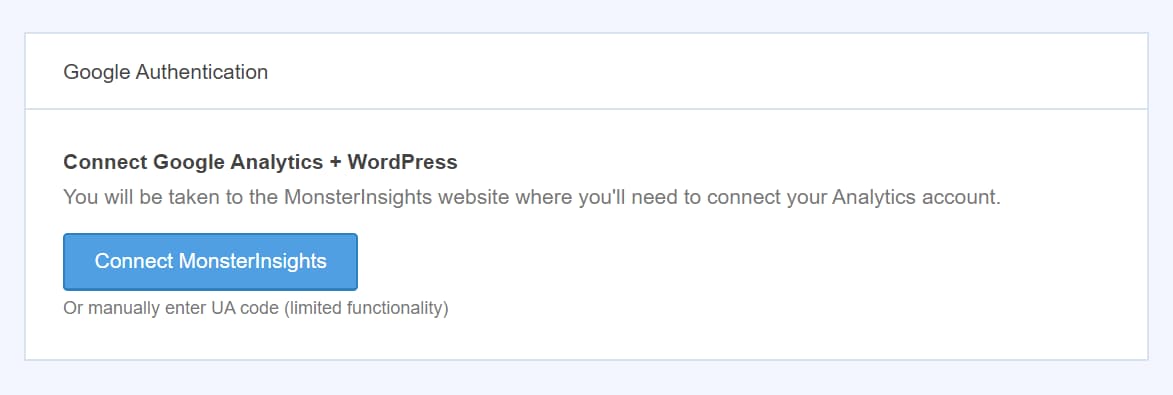
Connect MonsterInsights with Google Analytics
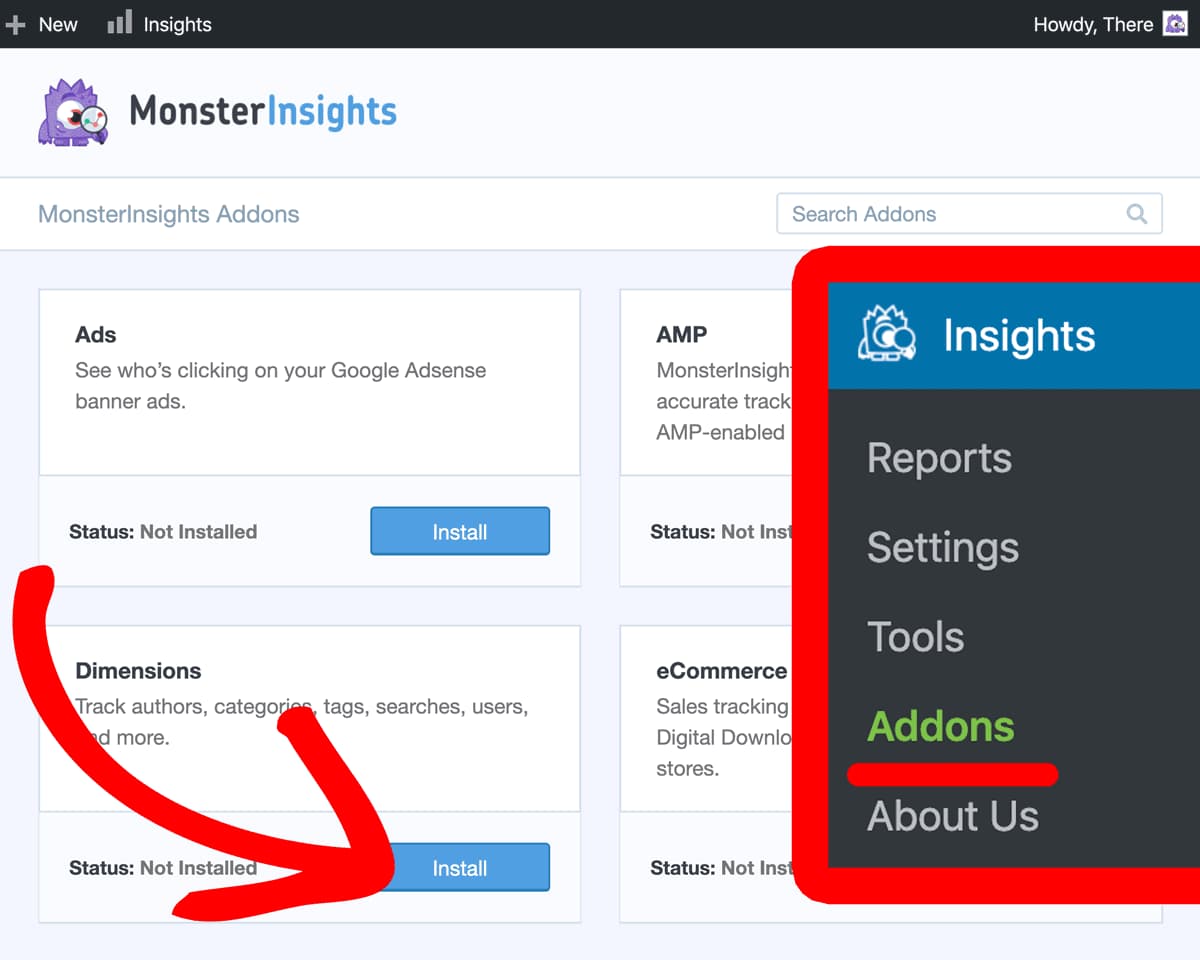
Install the Dimensions add-on
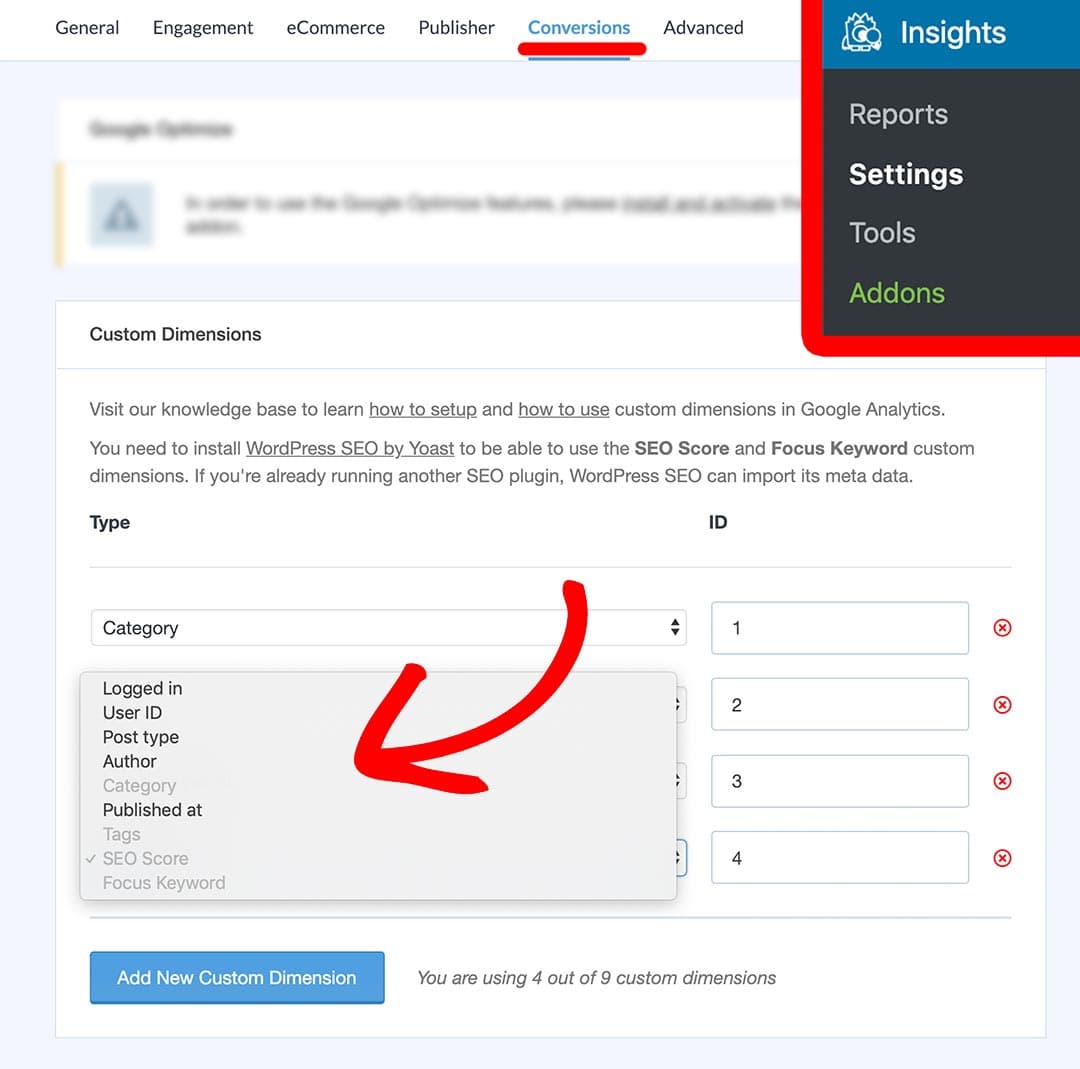
Add new custom dimension in MonsterInsights
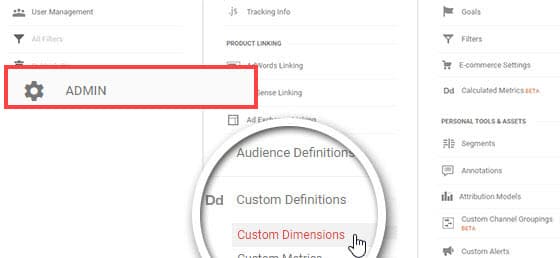
Set up Author custom dimension in Google Analytics
Click on the New Custom Dimension button, enter Author in the Name field, select Hit from the Scope dropdown, and click on the Create button.
Verify custom dimension IDs

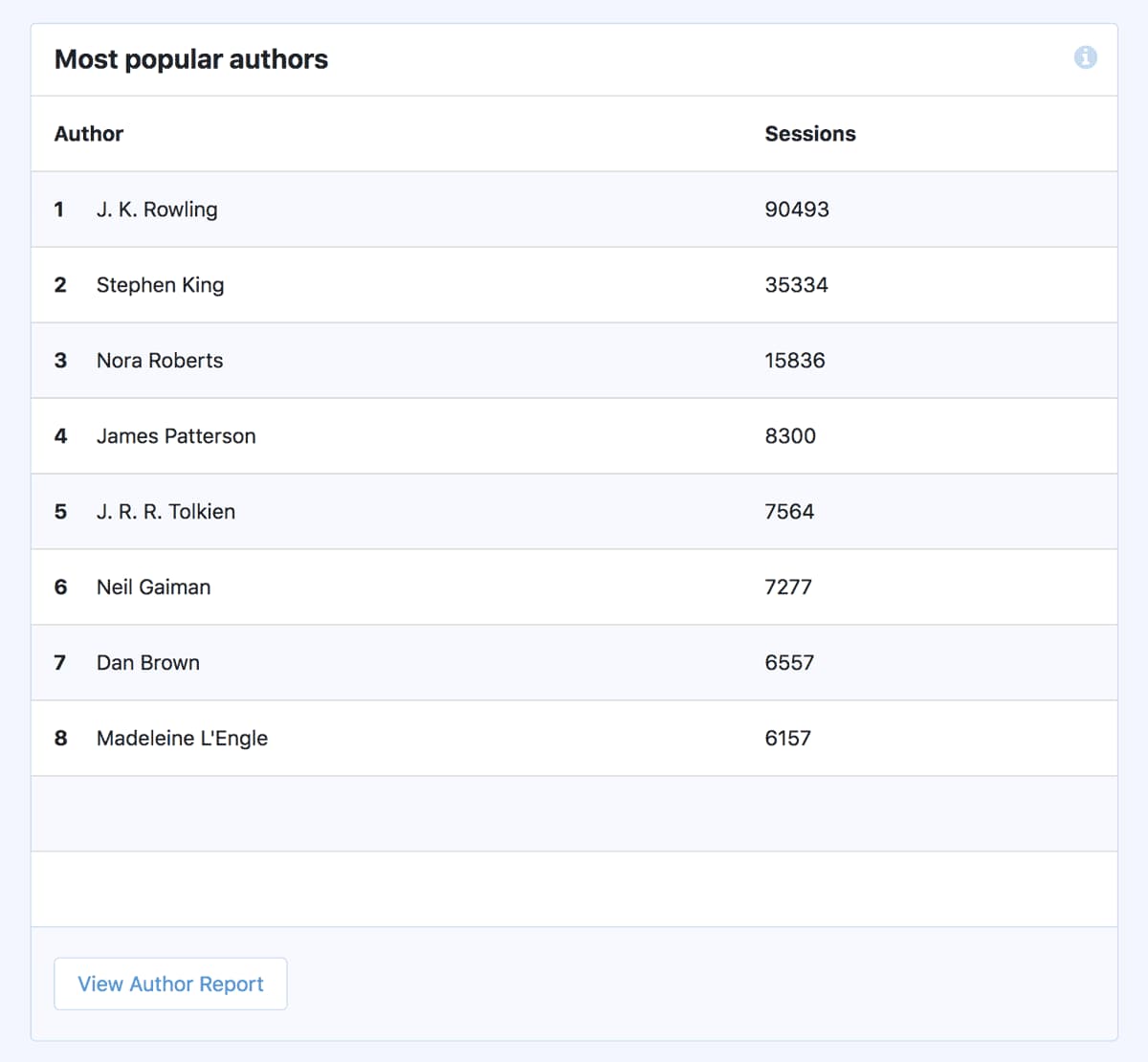
View author tracking information from WordPress dashboard
View author tracking information on Google Analytics

That’s it, you now know how to find the page views and bounce rates for each author in an easy to understand format. So, what are you waiting for? Get MonsterInsights now and enable author tracking on your WordPress site right away using Google Analytics.
Discover more from Antony Agnel
Subscribe to get the latest posts sent to your email.
 Antony Agnel