
By default, WordPress doesn’t come with support for frontend file uploads or forms out of the box. This is because, most people use WordPress for uploading their own content to the web and not collecting information, especially files from their website visitors.
But since WordPress is extensible, you can easily add these features to your website by using a simple form builder plugin – although you should keep in mind that adding a feature like this can make or break your site if the plugin is not properly coded. That’s why you should always go for plugins offered by trusted developers – who have a considerable user base and offer the best support experience out there.
With that in mind, I would suggest you go with WPForms, the best WordPress forms plugin out there. WPForms comes from the same stable as OptinMonster and MonsterInsights. So, you know that you’re in trusted hands.
Using WPForms, you can easily create a file upload form by adding a form upload field to your WordPress forms. Apart from this, WPForms comes with a whole lot of features that can improve your website’s functionality. I have covered everything about it in detail in my WPForms review. Be sure to check it out!
Why create a file upload form in WordPress
Now, there can be one or many reasons why you might want to create a file upload form on your WordPress site. Whether it’s for allowing people to submit their resume for a job application (Word documents and PDFs), spreadsheets or presentations for your business requirements (Excel sheets and PPTs), or screenshots/screen recordings for support requests (images/videos), you can easily collect them all on your site using WPForms’s modern file upload interface.
NOTE: You need a WPForms Pro license to take advantage of WPForm’s file upload feature. So, make sure you go through their features page and evaluate if it is the right choice for you before making a purchase. And if you’re not satisfied with WPForms Pro after purchasing it, you can always get a full refund – thanks to their 14-days money-back guarantee.
How to create a file upload form in WordPress
Install and activate WPForms
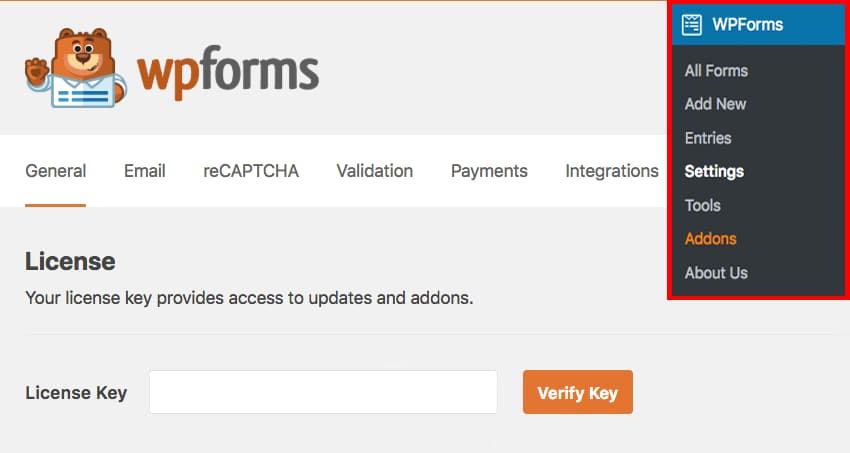
Create new form
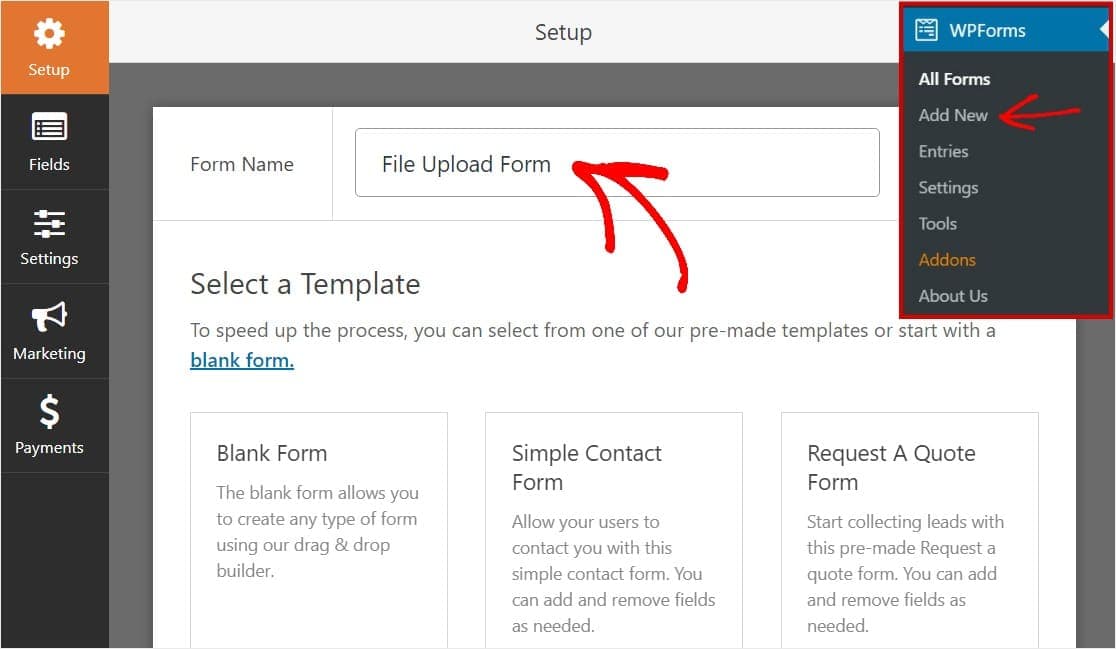
Choose file upload form template

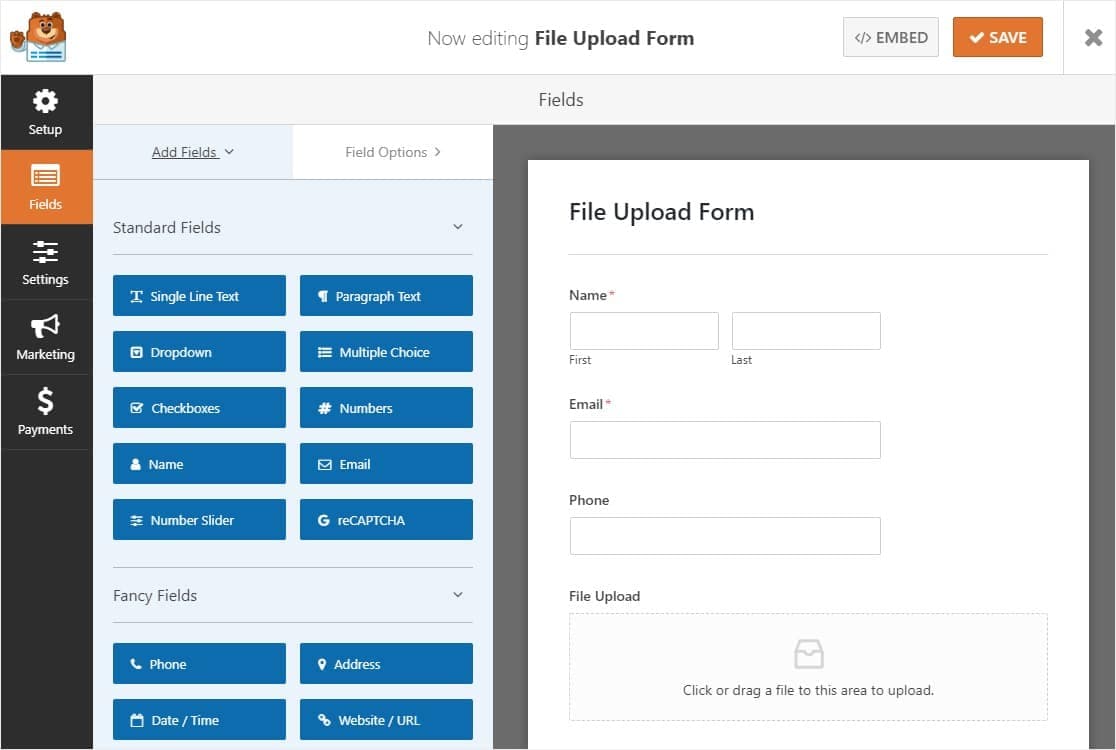
Add/remove required fields
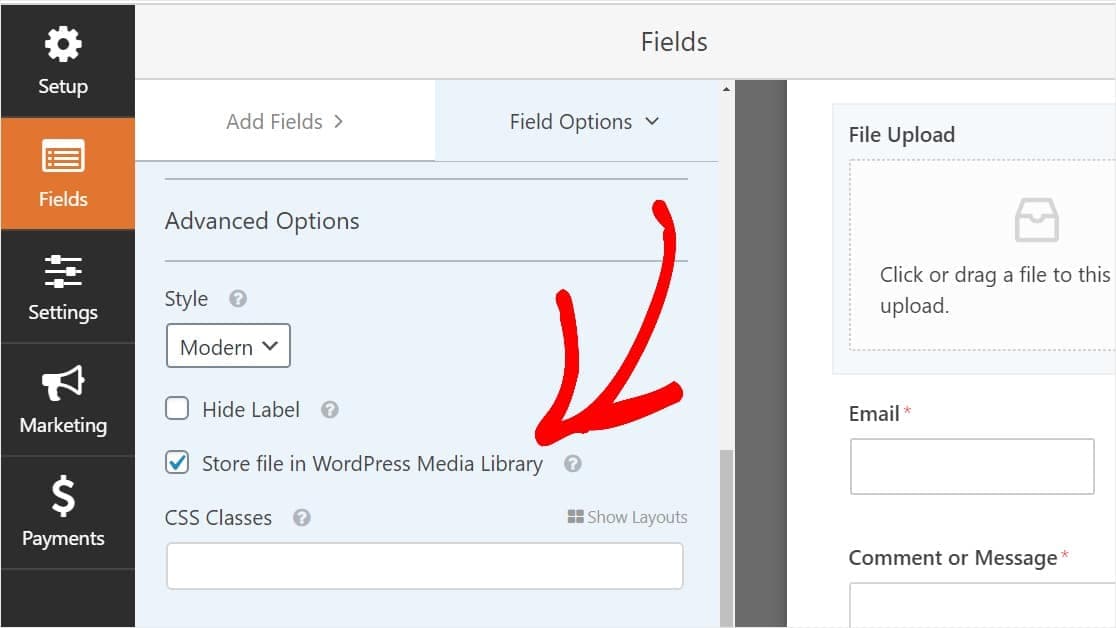
Configure file upload field options
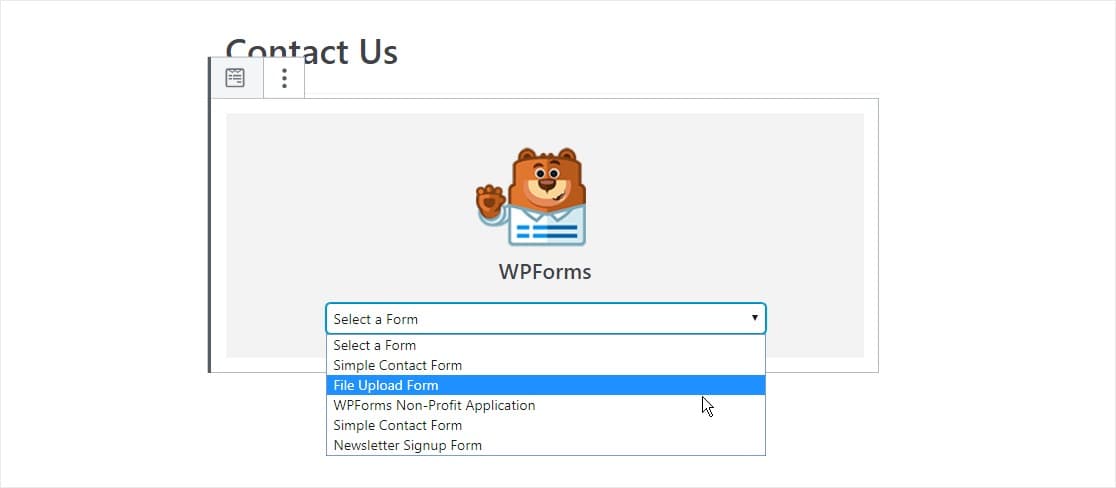
Add form to website
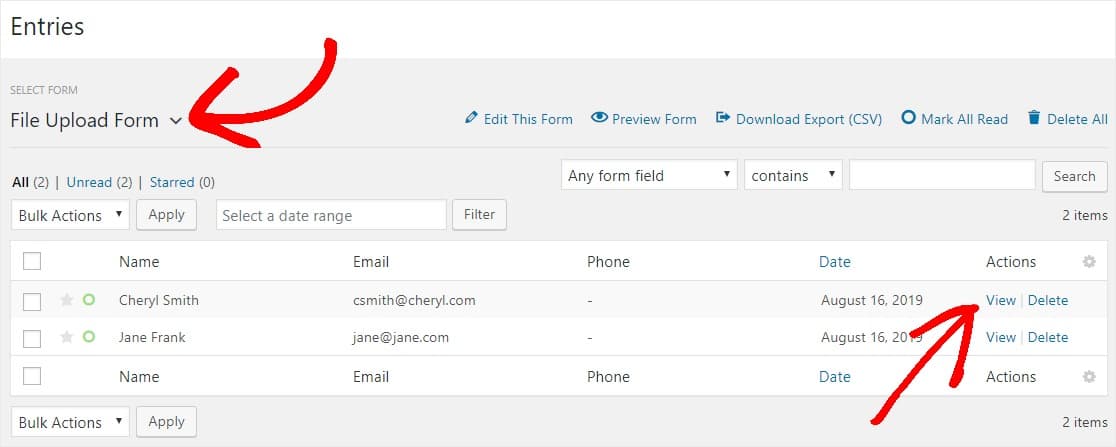
View the files
You have now successfully created a file upload form on WordPress. If you found this post helpful, please do share it with your friends and followers on Facebook & Twitter! Also, let me know in the comments section below! 👇
Discover more from Antony Agnel
Subscribe to get the latest posts sent to your email.
 Antony Agnel