
There was once a time when people used to rely on PayPal for collecting online payments from their clients and customers. They still do – but the way they collect the payments are fast changing.
Instead of logging into your PayPal account each time, creating an invoice, and sending them over to the customer, more people are integrating PayPal with their WordPress sites and collecting them directly from their website itself. That’s definitely an improvement from the previous process. And, it saves a lot of time for both parties.
You can instead focus on getting more customers and growing your business.
How to collect PayPal payments on your WordPress site
The easiest way to collect PayPal payments on your WordPress site would be by using WPForms Pro. WPForms Pro is a premium form builder plugin for WordPress that comes with support for conversational forms, file uploads, electronic signature, and more apart from adding support for Stripe and PayPal on your site. It can also help you reduce form abandonment; you can read everything about it from my WPForms review.
Using WPForms, you creating payment forms is a breeze as it comes with a whole lot of templates which you can customize to suit your needs.
Steps to enable PayPal support on WPForms
Install and activate WPForms
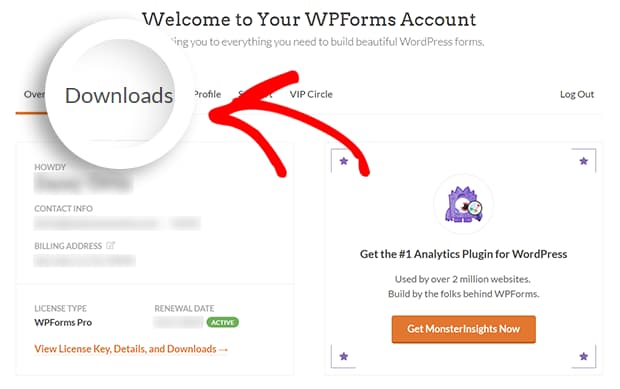
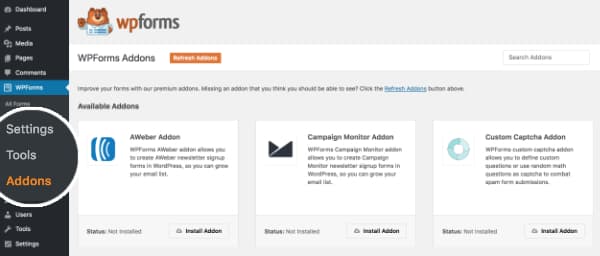
Install WPForms PayPal add-on
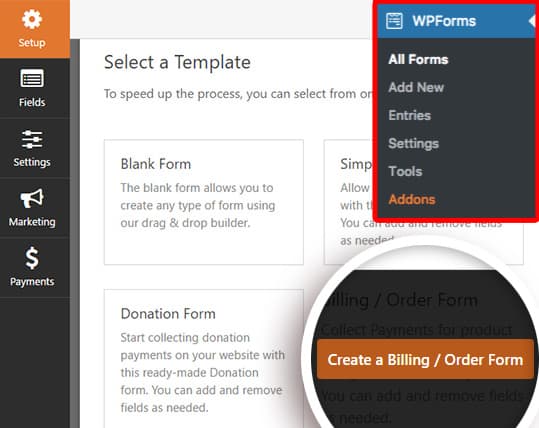
Create a new payment form
For this guide, I am choosing the Billing / Order Form template. Whatever you do, make sure you include at least one items field. It can be a single item or multiple items with a checkbox or dropdown. It’s completely up to you. Also, you shouldn’t add a Credit Card field when you’re creating a payment form using PayPal. They will collect such confidential information on behalf of you on their site once the user submits the form.
Connect your form with PayPal
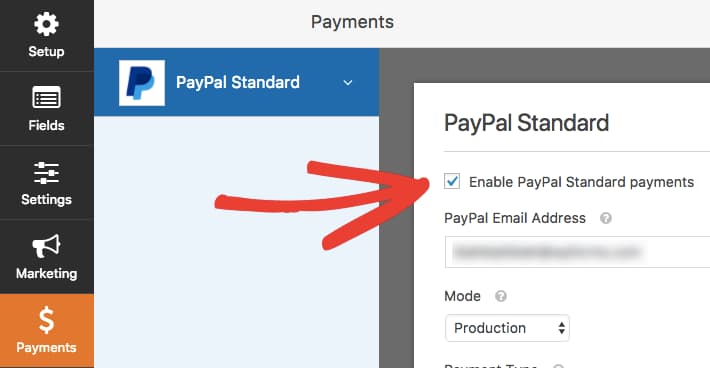
Once you have created your form and connected it with PayPal, you can save the changes and publish the form. To use the form anywhere on your website, just insert the WPForms block on the desired web page and select the payment form from the dropdown menu. That’s it.
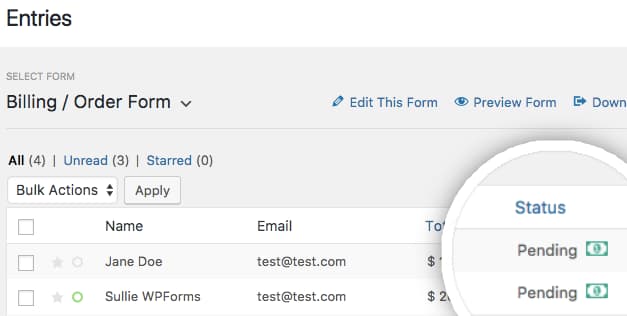
You have now successfully created a payment form to collect PayPal payments on your site. You can view all the payments made through this form from your form entries page as seen below.
So, what are you waiting for? Get WPForms today and create your first payment form with confidence. Grab your copy below! Oh, and it comes with a 14 days money-back guarantee.
Discover more from Antony Agnel
Subscribe to get the latest posts sent to your email.
 Antony Agnel