
Why create a quiz in WordPress
Nowadays, you can see a lot of online publishers (blogs, newspapers, and magazines) sharing quizzes on their website. One reason they do this is to make their website and content fun and engaging for the readers. This way, there will be more interaction between the website and the readers. Which, in turn, will lead to increased dwell time and better business.
Hosting a quiz greatly reduces your bounce rate and is a good sign for SEO, especially when people discover it through search engines.
Moreover, if you are into brand partnerships, you can gather valuable insights from your readers and share them with your partners for arriving at a better deal. It’s a win-win situation for you.
Even if you don’t have any ideas of monetizing your quizzes, you can still benefit from the increased user retention on your site.
What type of quizzes can you make in WordPress
To be honest, you can create any type of online quiz you want on your WordPress site. If you can think of it, you can make it. Here are a few examples though –
You can create a simple trivia, Yes/No type of questions, multiple-choice questions, and more for calculating IQ’s, test aptitudes, find personality types, help diagnose illnesses, and even match applicants to relevant jobs. That simple.
Recommended WordPress quiz builder plugin
Creating a quiz on your WordPress site doesn’t require any special skills. All you need is a good WordPress plugin that can do the job for you without making your website bloated. That’s why I recommend Formidable Forms – one of the best form builder plugins for WordPress that comes with support for creating online quizzes.
Another reason why I recommend Formidable Forms for creating quizzes is – it allows logged-in users to save the quiz in between and continue it later. It also allows quiz takers to check their answers and review them before submitting them.
If that doesn’t convince you, you can also create an end of quiz survey for users on your site using the same Formidable Forms plugin. It can also effectively replace the contact form and newsletter subscription forms on your site. For more ideas on how Formidable Forms can help grow your business, check out my Formidable Forms review.
How to create a quiz in WordPress
Install Formidable Forms

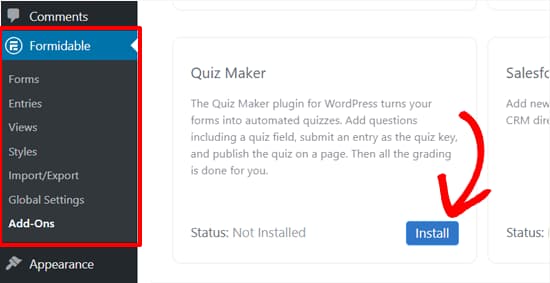
Install Quiz Maker Add-on
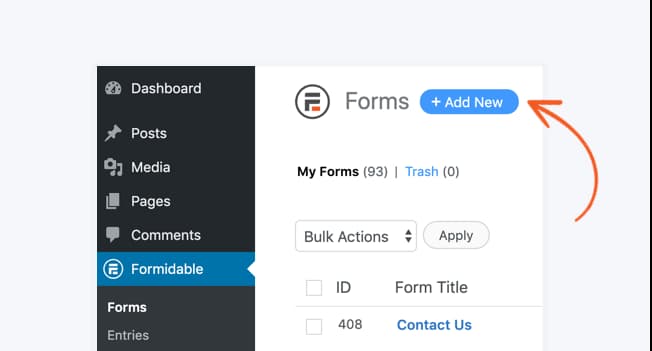
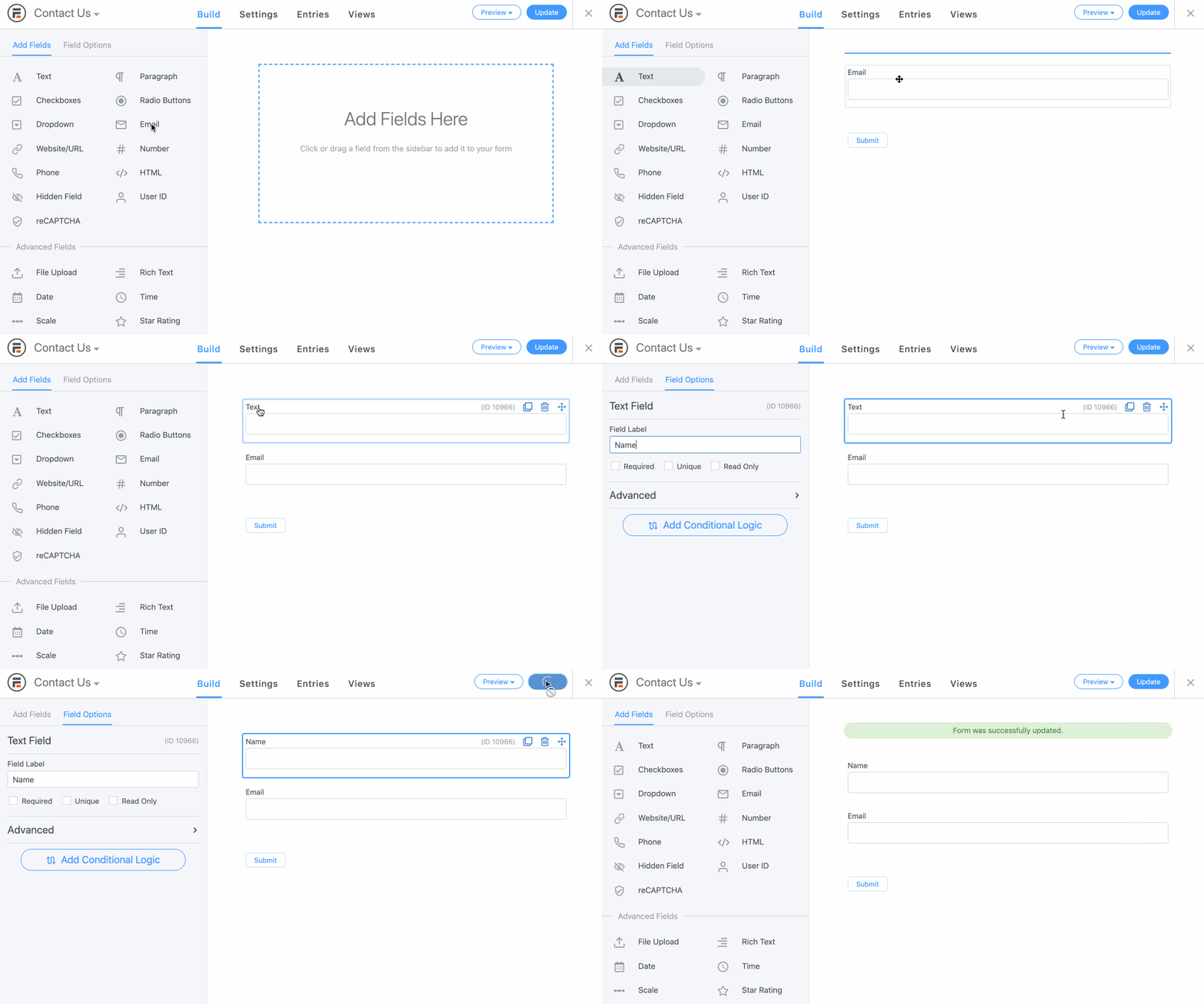
Create a quiz form
Add Quiz Score field
NOTE: If you want to display the score after people complete the quiz, add the shortcode for the Quiz Score field in the form success message. If you prefer a visual confirmation/scoring message, you can use the Formidable Forms Views feature to display custom images instead of plain old scores.
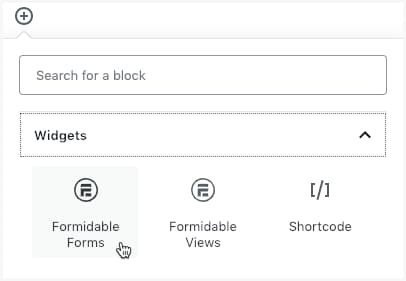
Publish the quiz
That’s all, quizmaster. I hope you learned how to create a quiz on your WordPress site. You can now start sharing the quiz with your site visitors and gather some really interesting results. I’ll leave it to you. By the way, you can tweak a few more quiz settings by visiting Formidable –> Global Settings –> Quizzes page and making some changes. But it is totally optional.
Discover more from Antony Agnel
Subscribe to get the latest posts sent to your email.
 Antony Agnel