
Importance of online surveys
Online surveys allow you to gather opinions, feedback, and suggestions on how to improve your product and cater to the existing consumer base. You can also conduct market research, get employee and customer satisfaction data, etc from a large set of people to gain actionable insights into how your business is running and what you need to do to expand it. Surveys help you make data-backed business decisions rather than doing something instinctively and hoping it would do good for your business.
Now, there are two ways you can create surveys on your website – you can either create it using third-party software (Software as a Service) and embed it on your website or create it directly on your website. Although there are some advantages to creating surveys using third-party software, I would recommend you to go with the second option because of the advantages it offers.
Why create and host surveys on your own website
When you are creating surveys using third-party services, the data is stored on their server and not yours. You need to rely on their privacy policy and security to make sure your data is safe. If you need to store and process sensitive data or personally identifiable information, you’re better off storing them on your server and securing your WordPress site to comply with local and international laws.
Also, external forms are less customizable and they do not match the look and feel of your website. It can really hurt the user experience on your site and make your site look less professional. We don’t want people to think less of us, do we?
Another important reason why you should host surveys on your own site is that you will not be limited by the number of responses you can collect and store on your site. You needn’t pay a monthly subscription fee for storing the data on your own site since you are already paying for a web hosting plan.
Now that we know why it is better to create surveys and store the responses on your own site, let’s see how you can get started.
The best survey plugin for WordPress
This is exactly where WPForms comes to your rescue. WPForms is like a Swiss Army knife of WordPress forms plugins. It incorporates all the best features that make a feature-rich WordPress form plugin. Also, it is lightweight and is brought out by the same people behind OptinMonster, MonsterInsights, and WPBeginner. If you have never heard of them, I can guarantee that you’re new to WordPress.
They enjoy a loyal fan following and their free plugins have been of a lot of help to many WordPress users like myself. Now, their Surveys and Polls feature is not available for free but make no mistake, you can get more value than what you pay for while purchasing WPForms Pro.
You can use WPForms to create conversational forms, collect electronic signatures, payments, and more on your WordPress site. You can see a full list of all the available features in my WPForms review. And while you’re at it, you can check it out on the WPForms site as well.
Let’s see how to easily create and add a survey to your WordPress website.
How to create a survey in WordPress
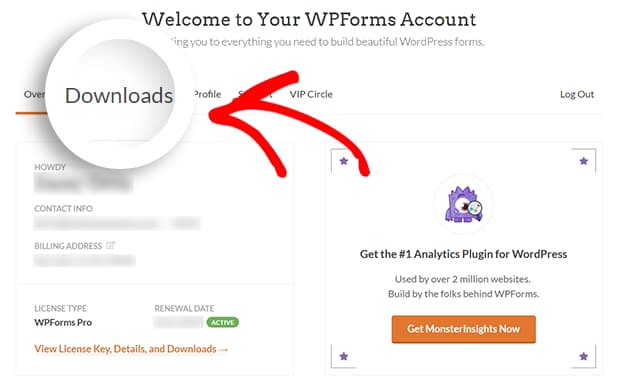
Install and activate WPForms
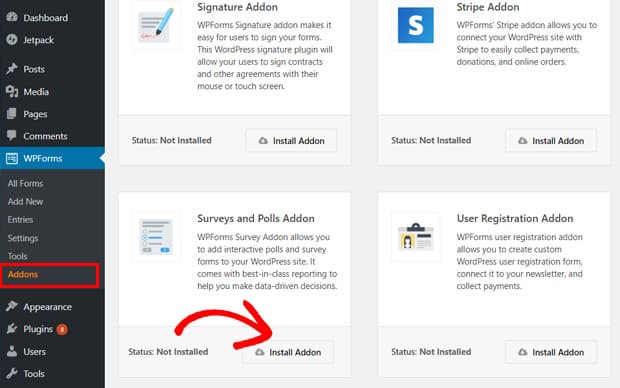
Install and activate Surveys and Polls addon
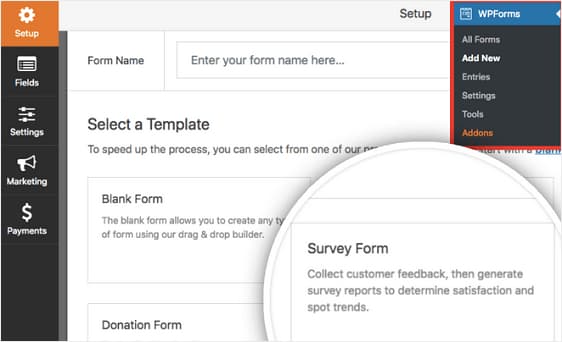
Choose Survey form template
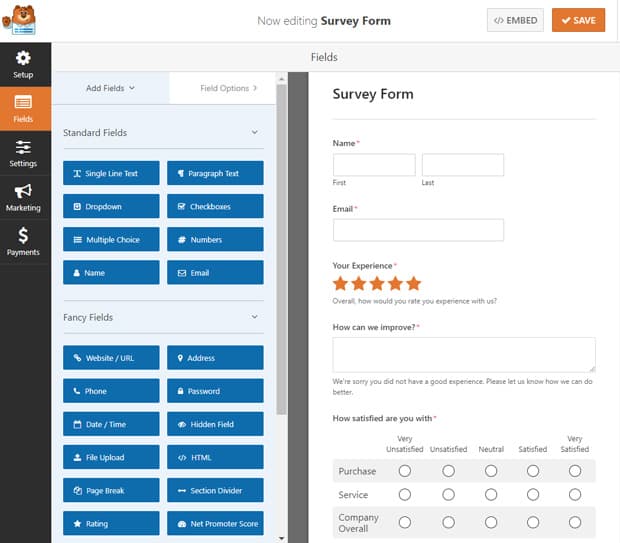
Customize the survey
Enable survey reporting
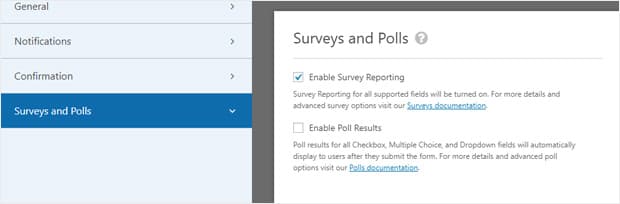
Configure survey form settings

Add the survey to your website
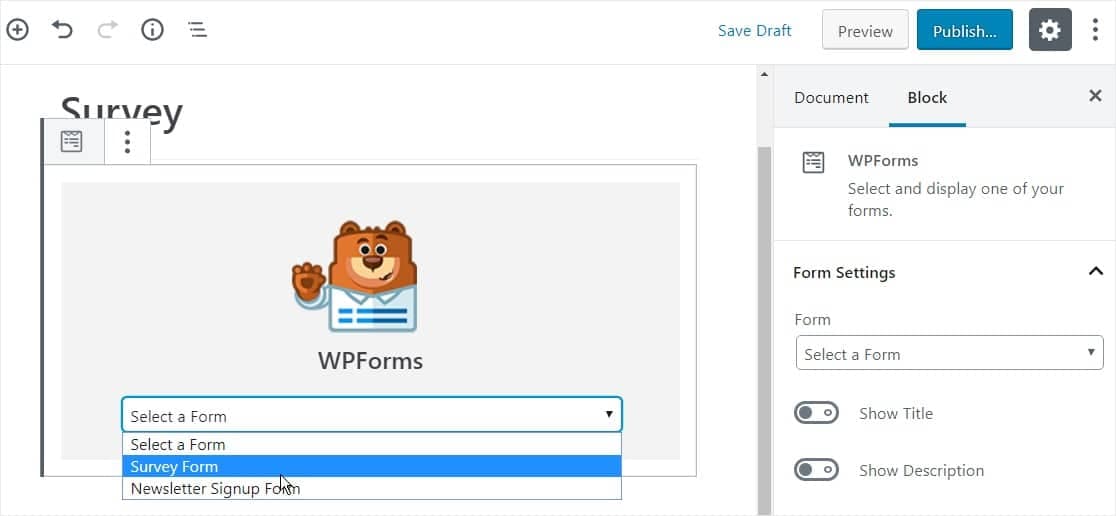
Generate survey report

View and export survey responses
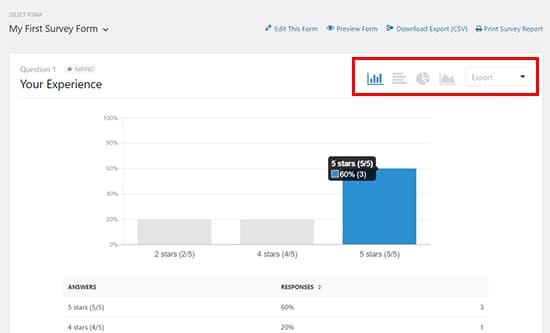
And there you go – you now know how to create a survey in WordPress, view the survey responses, and export the survey results for using them in other applications. I hope you found this WordPress survey guide really useful. If you did, please consider sharing it with your followers on Facebook or Twitter.
Oh, and if you haven’t got WPForms yet, you can get it from below. Remember that it comes with a 14-day money-back guarantee. So, feel free to get the plugin and try it out on your website before deciding if it’s worth it or not.
P.S. If you are not satisfied with WPForms or need a quick alternative WordPress survey plugin, you might want to check out AYS Pro Survey Plugin.
Discover more from Antony Agnel
Subscribe to get the latest posts sent to your email.
 Antony Agnel