
Tracking form conversion source helps website owners gain insight into which marketing campaigns (advertisements, partnerships, or other promotions) drove the most leads for their business. For example, you might be running multiple campaigns simultaneously on Google, Facebook, and Twitter. How will you be able to find out which one works the best for you?
People from all or some of the campaigns may be filling the form on your site and there’s no surefire way for you to know which platform works the best for you.
That’s why you need to set up lead source tracking using Google Analytics on your website. This way, you can know which campaigns are paying off and which aren’t. With that information, you can dynamically allocate the budget for ad spends based on the conversion rate and lead quality from each platform separately.
What you need to track form conversion source in Google Analytics
Tracking form conversions manually can be a pain – especially if you don’t know your way around Google Analytics and WordPress. And it can easily take more than a couple of hours for you to configure and set it up if you haven’t done it before.
The simpler, wiser, and cleaner way to do it would be by using a Google Analytics plugin like MonsterInsights. MonsterInsights allows you to track all your form conversions as events without touching any code and setting up goals manually.
If you haven’t installed MonsterInsights on your site before, I would highly recommend you to check out my MonsterInsights review. Once you have understood what the plugin can do for your site apart from integrating your site with Google Analytics, you can get the plugin by clicking on the below link. and install the Forms addon that comes with the plugin.
How to track lead source in Google Analytics
Install and activate MonsterInsights Pro

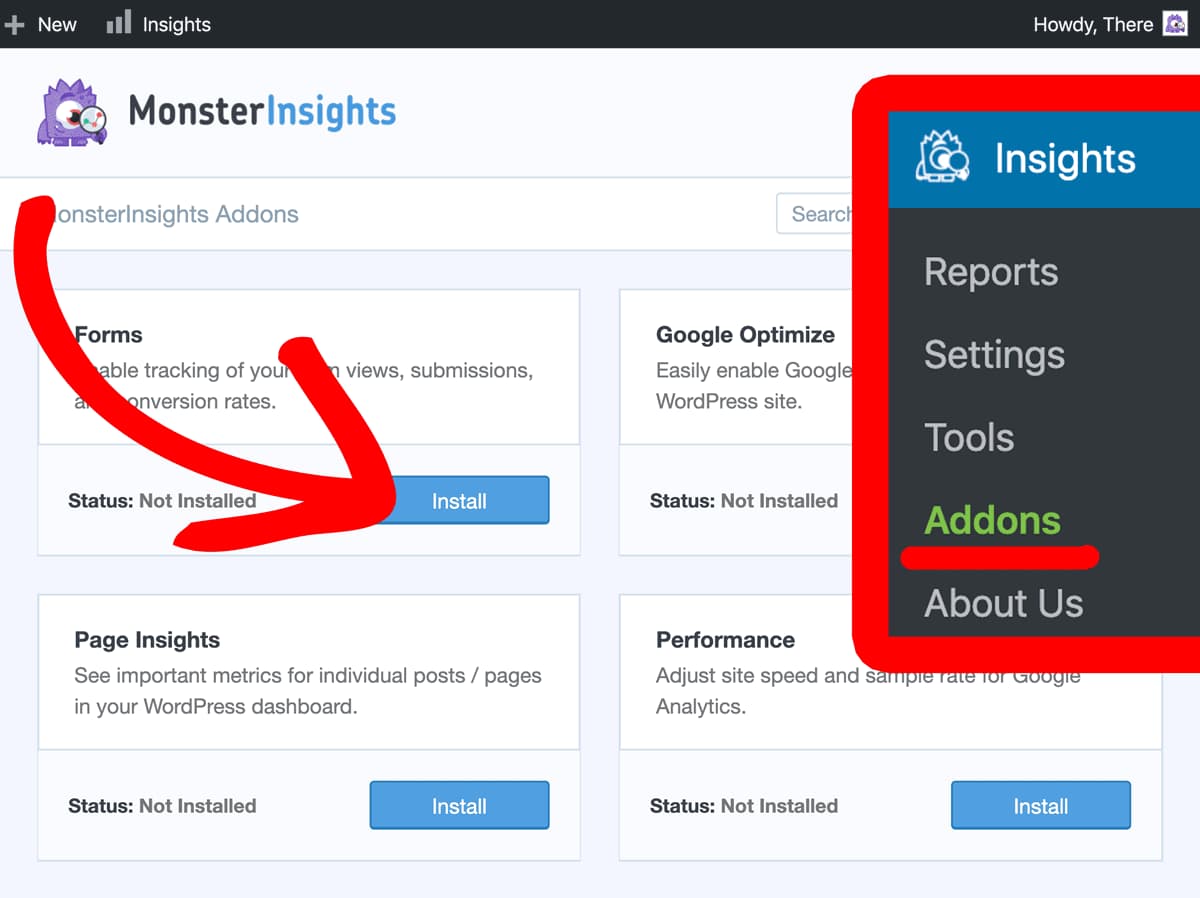
Install and activate MonsterInsights Forms Addon
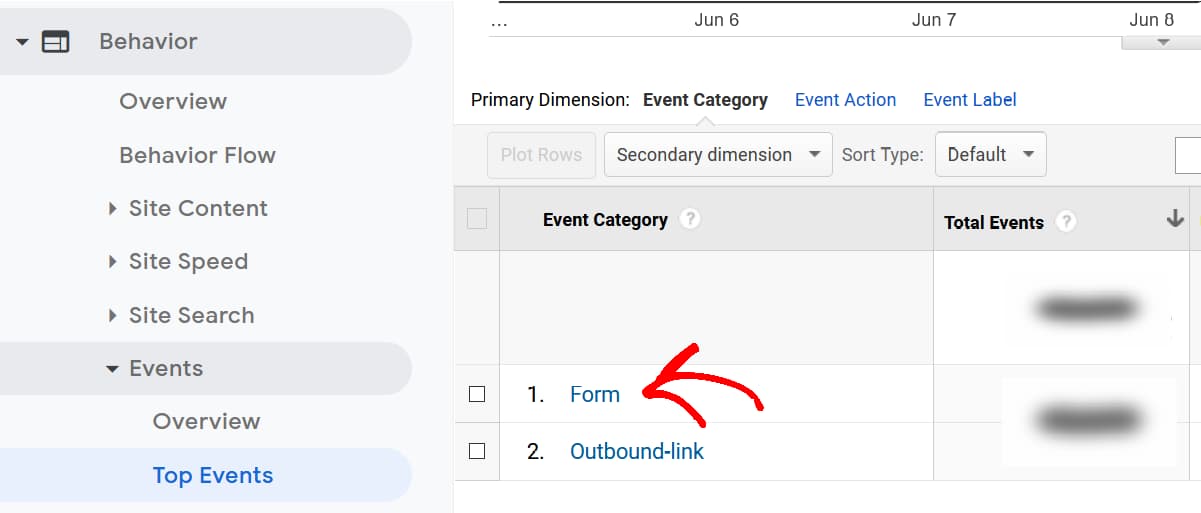
Open Google Analytics Top Events
Once you have logged into your Google Analytics account, click on Behavior –> Events –> Top Events from the menu on the left and click on Form event category.
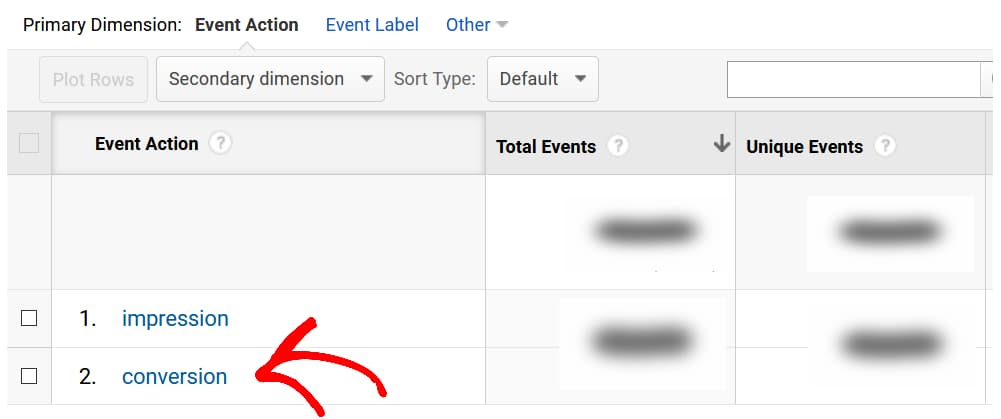
Click on conversions
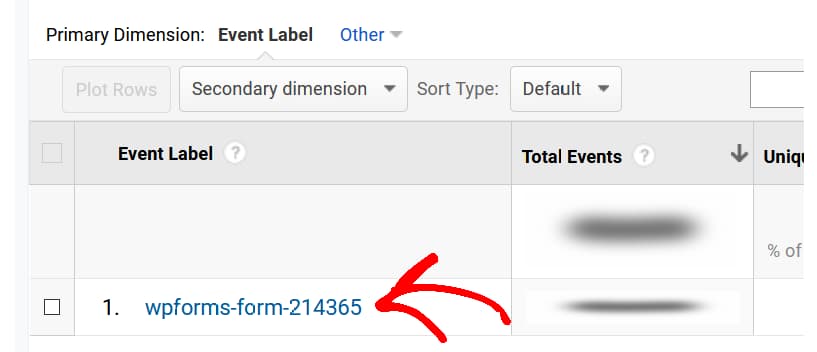
Find the desired form
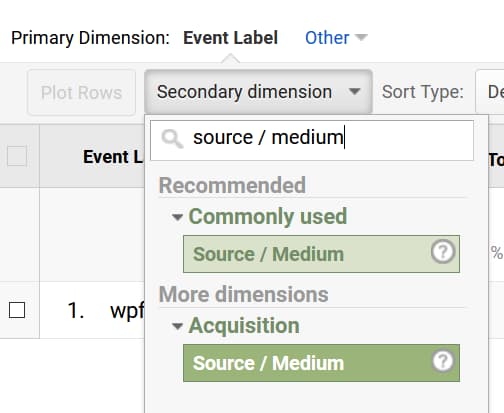
Apply secondary dimension
View all the sources
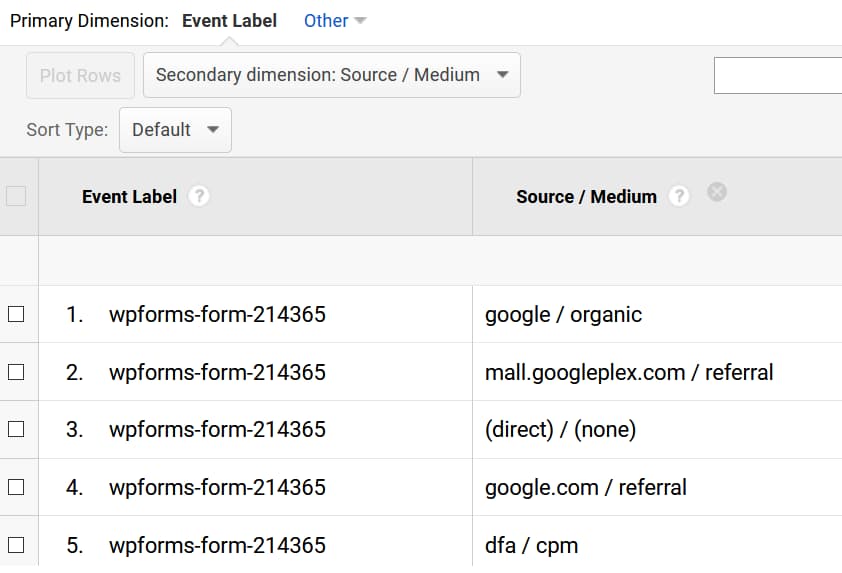
From here, you can use advanced filters to breakdown the data and get only the information you want.
Get MonsterInsights Now
Now that you know how easy it is to track form conversion source in Google Analytics using MonsterInsights on your WordPress site, it’s time to get the plugin for your site. Apart from making things easier for you, it has got a host of other features like custom events tracking, keywords tracking, scroll depth tracking, and more that can help you find new ways to grow your business.
Discover more from Antony Agnel
Subscribe to get the latest posts sent to your email.
 Antony Agnel