
Howdy, if you’re on this page…it means you’re considering using a captcha service to prevent spam submissions in your WordPress forms by protecting the forms on your website – be it your contact form, order form, or any other form from the menace of automated bots.
If you’re still wondering whether you must use one, I highly recommend that you should along with these must-have WordPress plugins for all website owners. As a fellow webmaster, I have seen how spamming can drive you crazy. At first, it starts slowly when you first create a website. But once you start publishing content regularly on your site and it is indexed by search engines, bad bots start crawling through the content on your site looking for relevant keywords and start spamming your site.
Some bots spam you with related links and messages while others spam you with unrelated links leading to potentially infected websites that might infect your computer. It’s better to not click on them.
Why use a captcha service
Captcha services help you distinguish bots from humans by making them solve challenges that ideally only human beings should be able to solve. It can be as simple as just figuring out what the word is and type it in a box or as complex as solving a small quiz or mathematical question.
With increased complexity, you can keep most of the bots out of your site. But, it can also keep the real users away. There have been many times when I was not able to solve a captcha. I’m pretty sure you would have faced this situation at least once when you were signing up for a new account, a newsletter, or submitting a form somewhere on the web.
The best way to use captcha on your site is to keep it simple enough for most users to solve them but not too easy for bots to overcome it. That’s why we have services like Google’s reCaptcha, hCaptcha, and few others that make our jobs really easy. You needn’t break your head designing a captcha system. Instead, you could just leverage the existing ones.
Why choose hCaptcha over reCaptcha
Even though there are many captcha services out there, the one which stands out the most is Google’s reCaptcha since it is what people have seen everywhere due to its popularity. But, it is not always the best choice. And nowadays, people are becoming wary of Google and are focusing on other privacy-focused alternatives.
Android users are already flocking to free and open-source alternatives to proprietary Android applications.
That’s where hCaptcha comes in.

hCaptcha is a privacy-focused alternative to reCaptcha that protects user privacy by not tracking users, rewards website owners for every captcha solved and helps companies get their machine learning models trained by getting their data labeled by real users. It’s a win for all the parties involved. Now that you know how hCaptcha can benefit you, let’s see how you can set up and use it in your WordPress forms using WPForms.
How to set up hCaptcha in WPForms
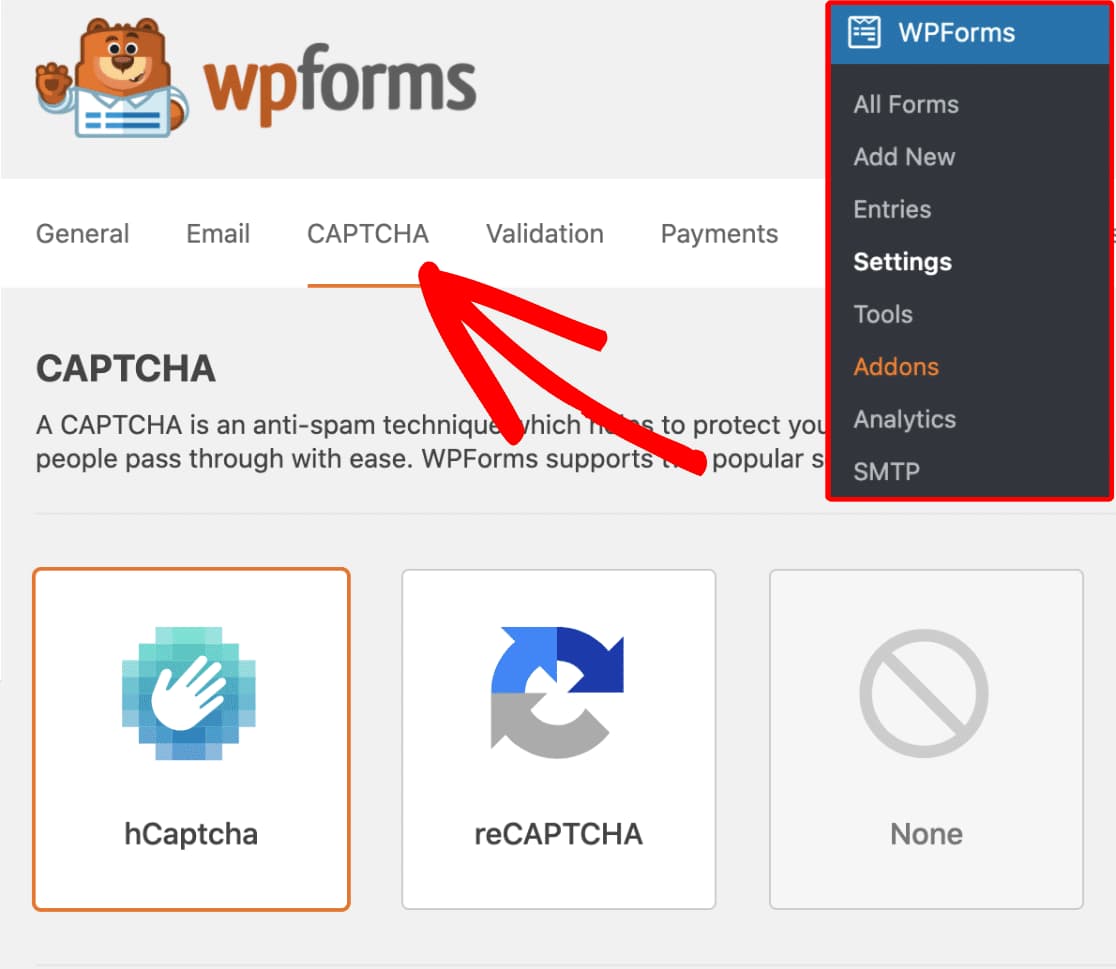
Select hCaptcha in WPForms
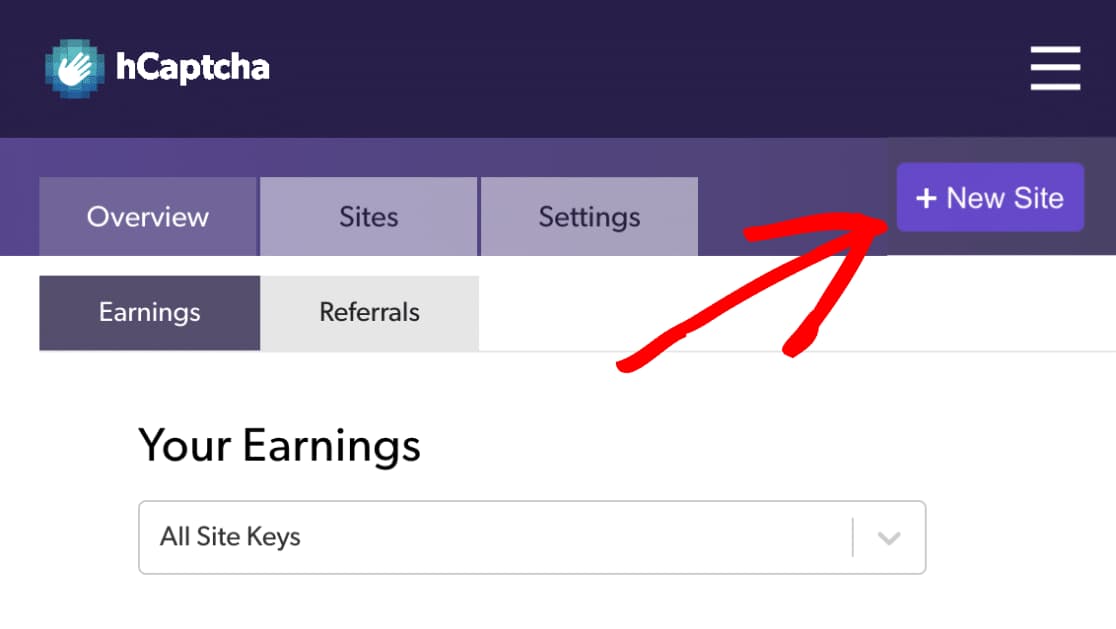
Add your website to hCaptcha
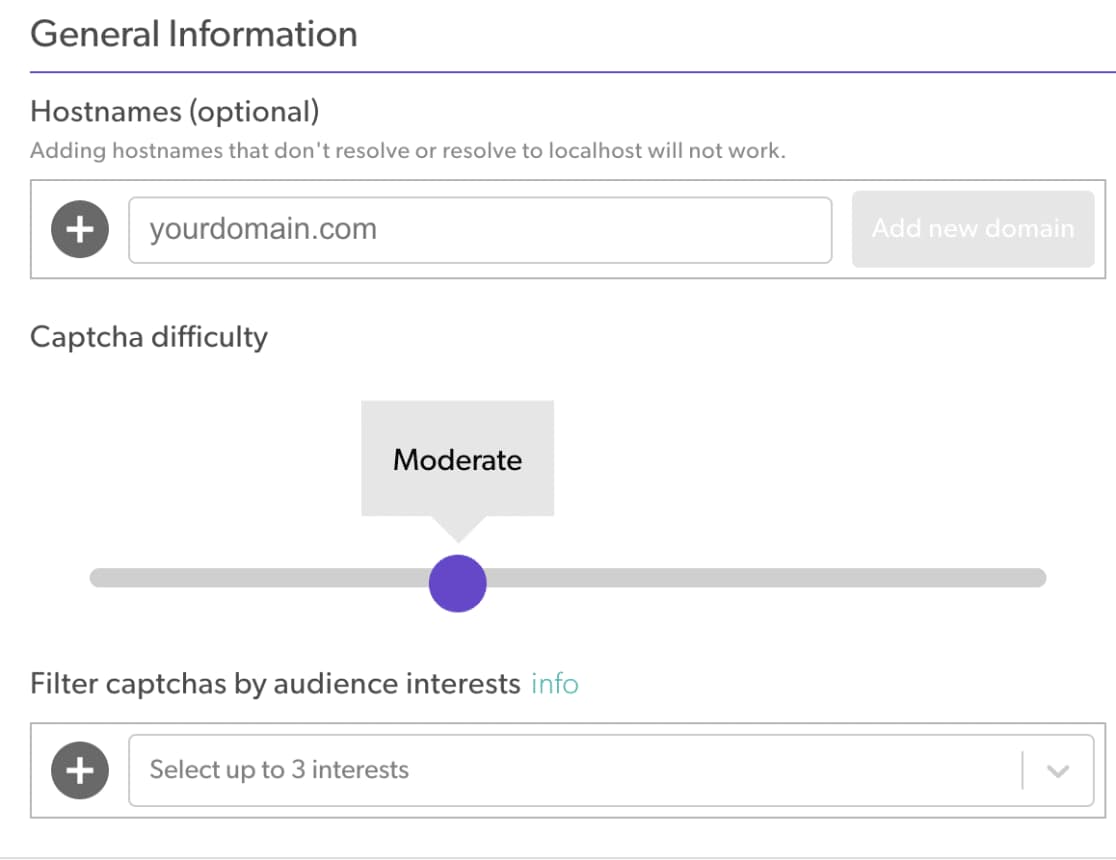
Configure hCaptcha settings
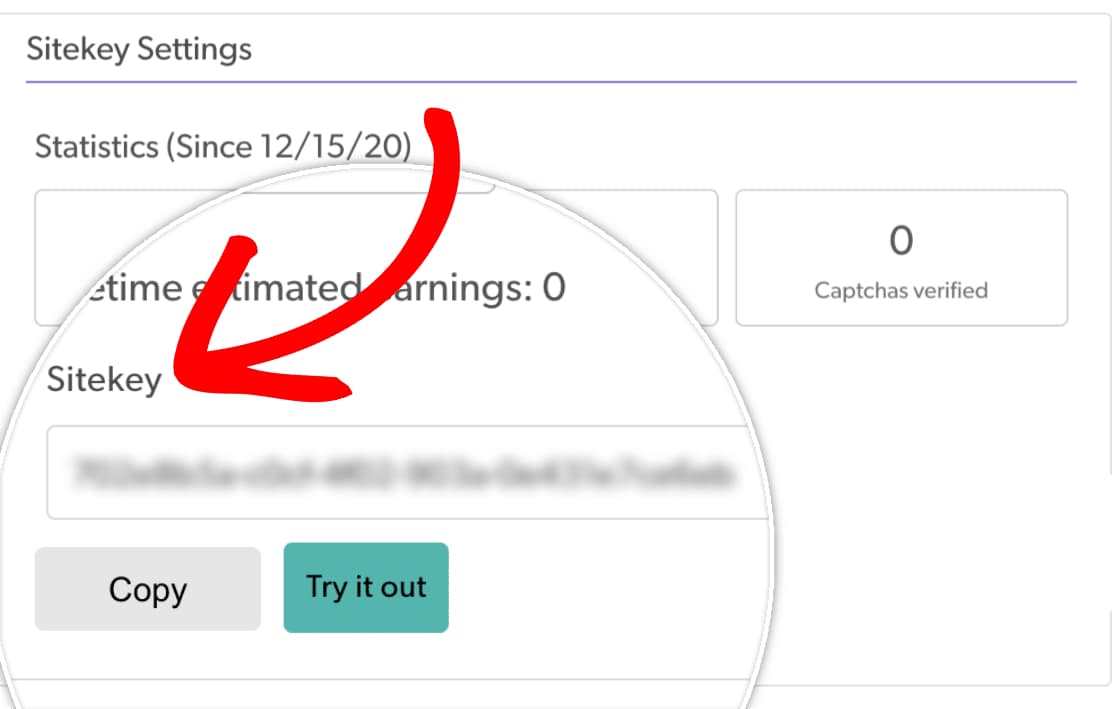
Copy hCaptcha Site Key
Add hCaptcha Site Key to WPForms
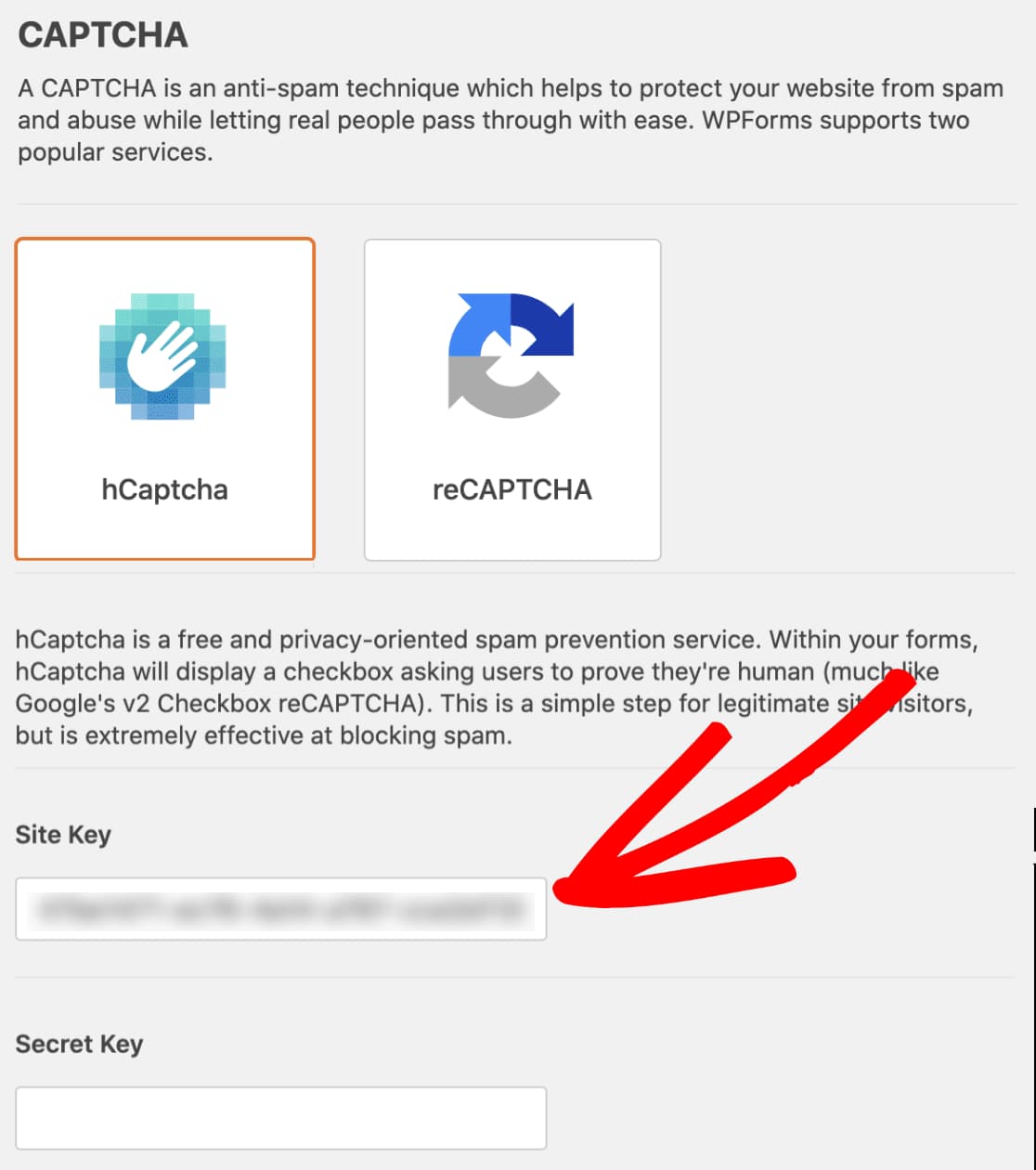
Copy hCaptcha Secret Key
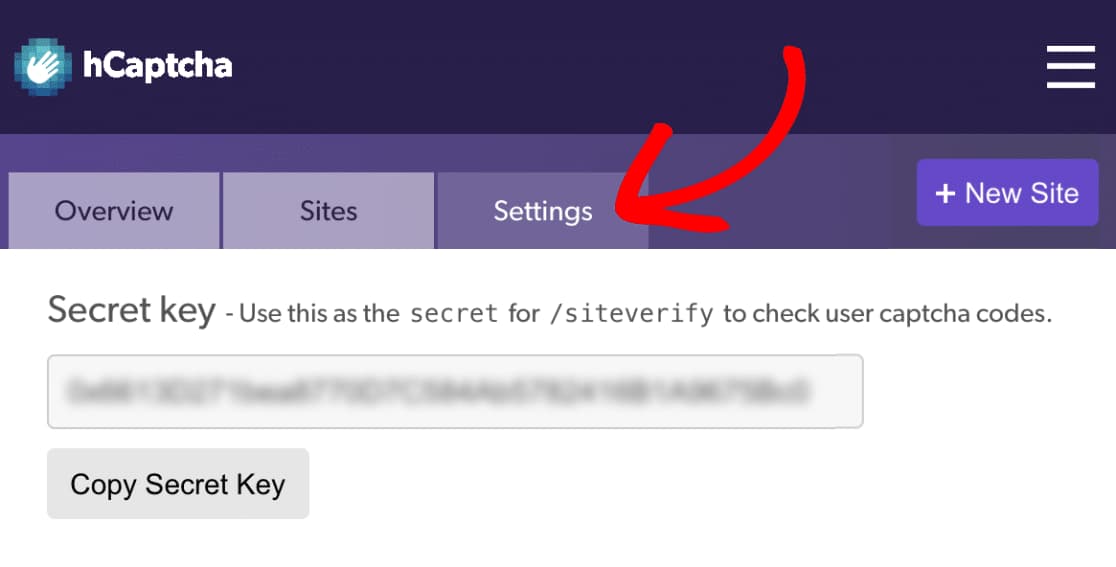
Configure other hCaptcha settings
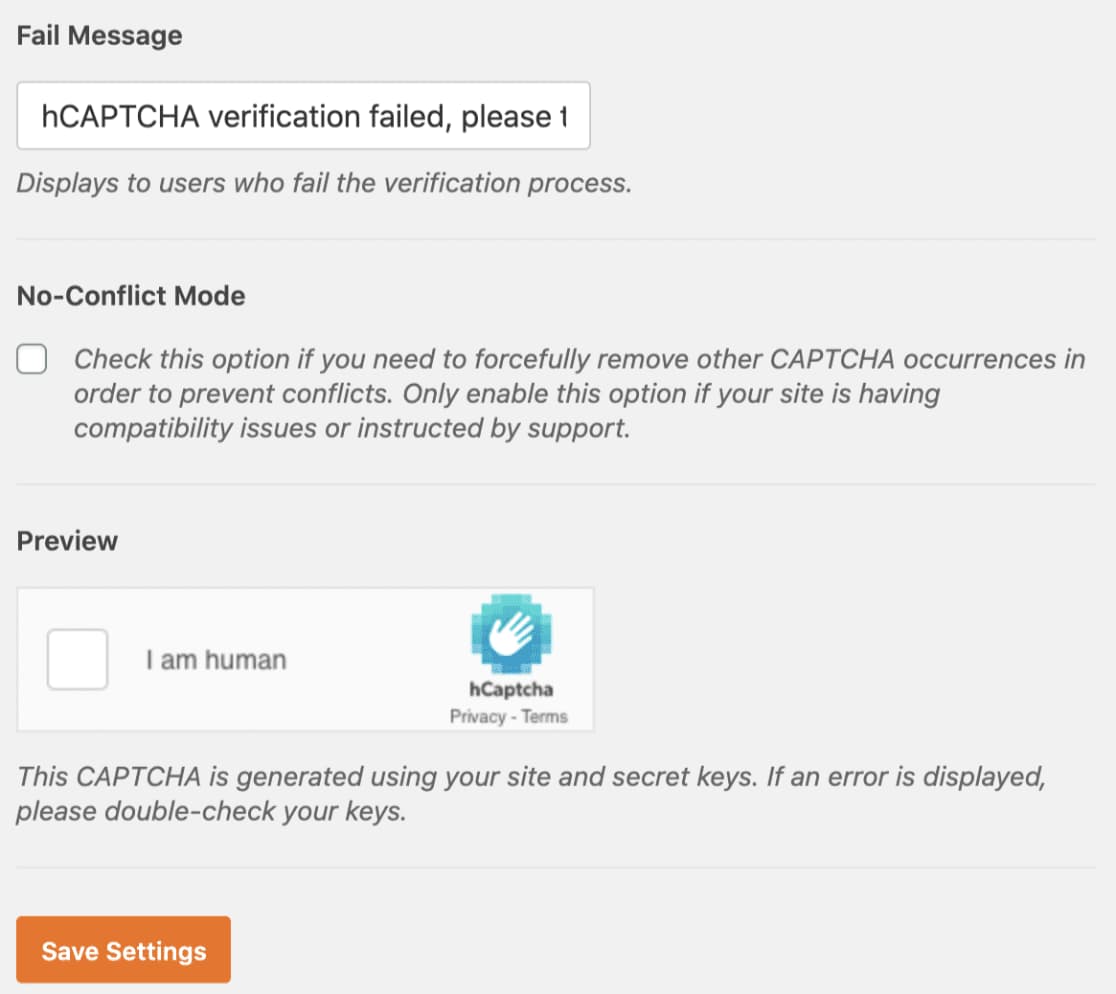
Add hCaptcha to your WordPress form
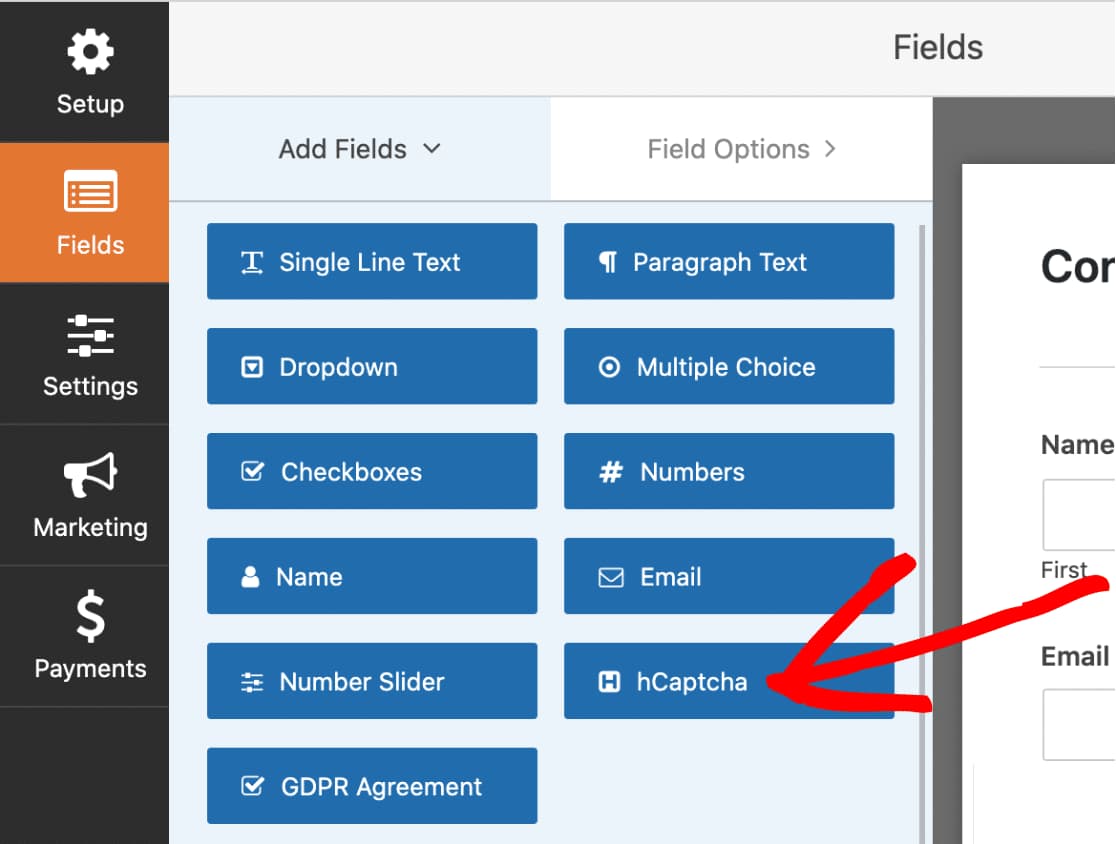
You have now successfully enabled hCaptcha in WPForms. All you need to do is test it by submitting a dummy form entry by solving the captcha. Once that’s done, you know how to set up and use the hCaptcha in WPForms. Congrats!
Haven’t got WPForms yet? Don’t worry, you can get it at 50% off from the below link with 14 days money-back guarantee.
Discover more from Antony Agnel
Subscribe to get the latest posts sent to your email.
 Antony Agnel