
Imagine receiving endless emails on your business email each day only to find that they are absolute junk. Not only do they not add any value to your business but also it makes it difficult for you to find and reply to legitimate emails.
Sometimes this number can go very well up to more than a few hundred emails a day if you’re unlucky. But hey, that’s what is bound to happen when your website has a contact form without an anti-spam mechanism in place.
I have been in the same situation and I understand that you don’t want to spend your time differentiating spam from real emails. In this article, I will be showing you how to stop WordPress contact form spam using checkbox and invisible reCAPTCHA. But before that, let’s see why people spam contact forms.
Why do bots spam contact forms
Nowadays, people are using bots to automate the whole process of spamming the web in the name of email outreach programs, business pitches, inquiries, and more.
Although manual spamming is still a thing, it is the bots that you should be afraid of. People get tired after a while or they just get bored of doing the same thing again and again. But bots don’t – that’s the difference. Large businesses with the resources hire people for manually sending out handcrafted emails.
But there are some malicious companies that outsource the whole process to shady agencies for a fraction of the cost. And depending on the bot’s configuration, it can even hammer your site down with spam if you don’t take action.
How to stop contact form spam
One of the simplest and most efficient methods to stop the bad bots from spamming your contact form is by enabling an anti-spam service with your contact form plugin. There are many anti-spam plugins out there available for WordPress but none of them matches the efficiency of reCAPTCHA.
Partly because it is developed by Google and partly because it’s been doing this job for quite some time. It also evolves constantly to stay updated on the latest spamming techniques to keep your site protected all the time.
What is reCAPTCHA
reCAPTCHA is a free anti-spam service provided by Google that can protect your WordPress site from contact form spam and automated abuse. It relies on a complex algorithm to differentiate between bots and real people.
With reCAPTCHA enabled on your site, you needn’t spend hours combing through your contact form submissions to weed out the spam form submissions. It automatically does the job for you by stopping the bots in the first place. In a few simple steps, you can also enable reCAPTCHA on your WordPress site to do all the work for you.
How to add reCAPTCHA to your contact forms
Install and activate WPForms

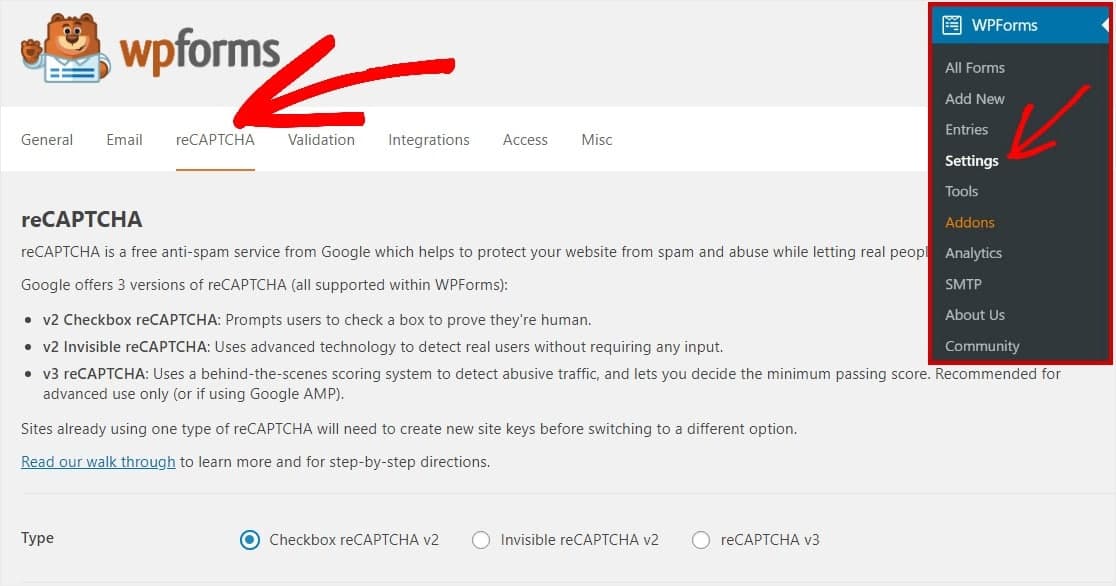
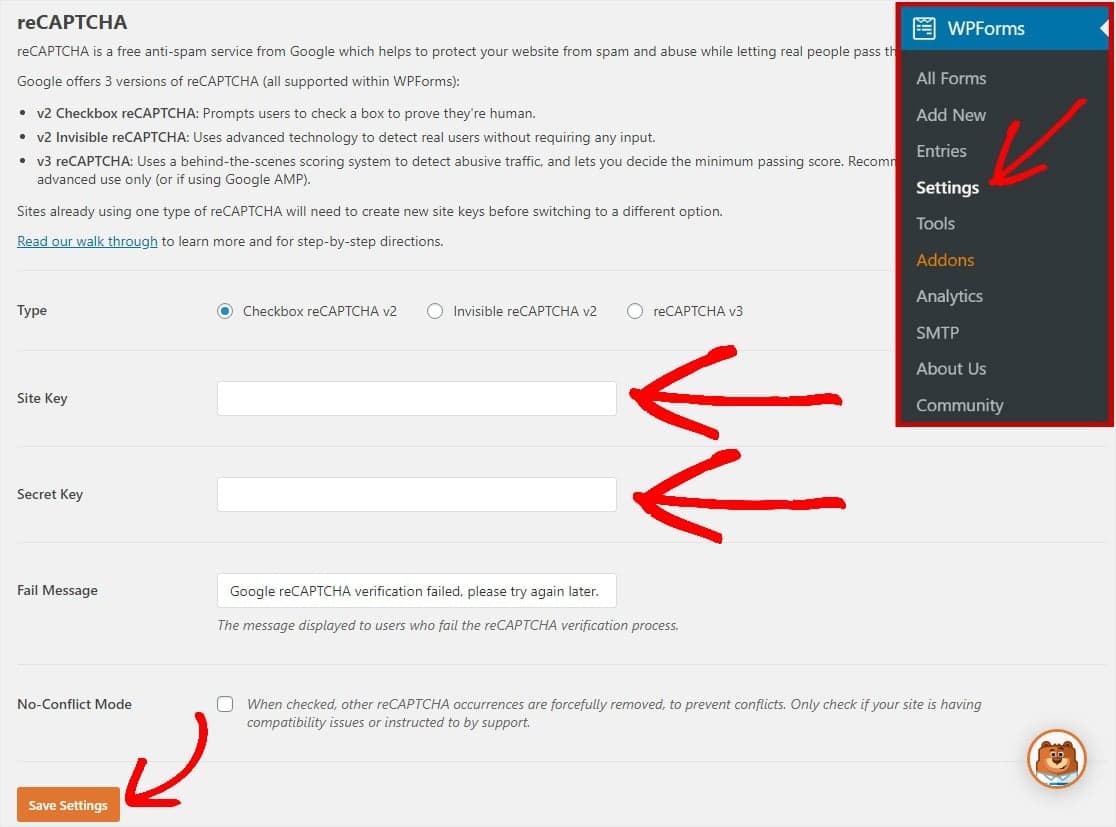
Configure reCAPTCHA settings
If you want to use Invisible reCAPTCHA v2, I have covered it below this tutorial.
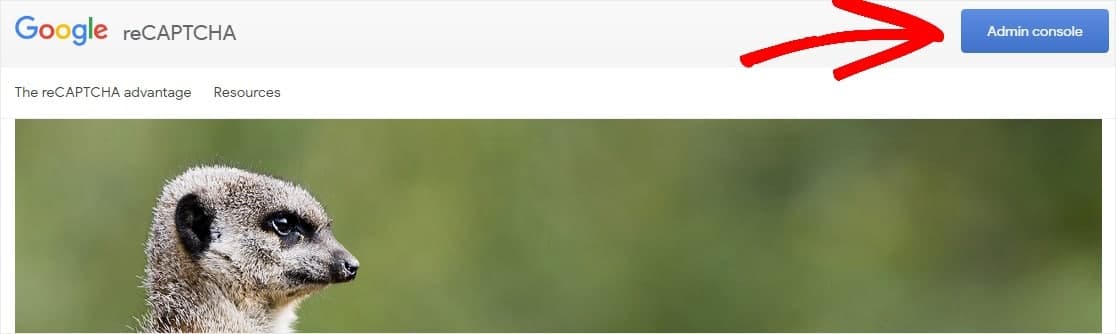
Access reCAPTCHA Admin console
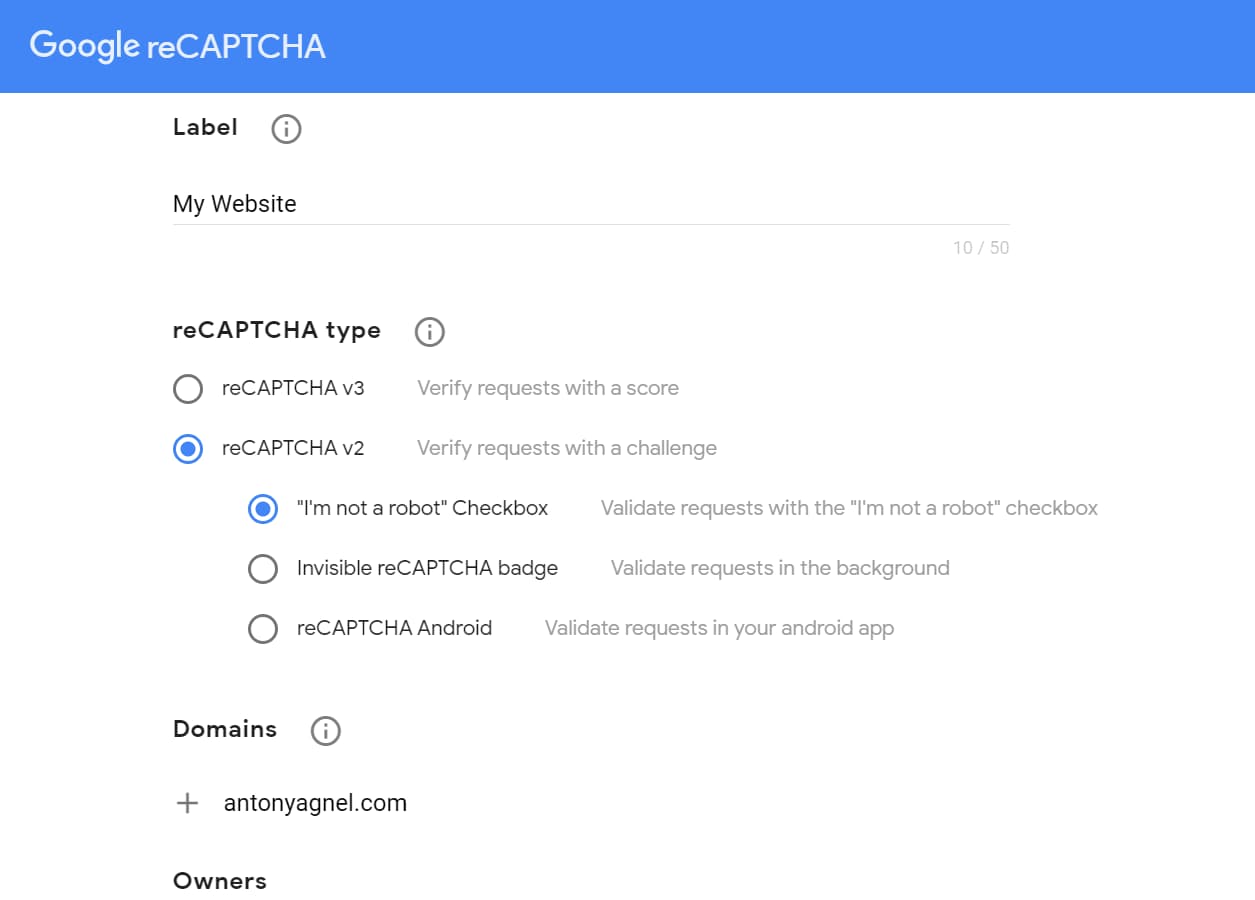
Register your website
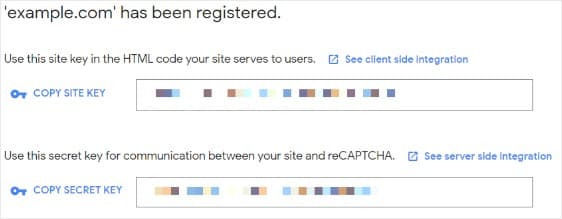
Copy site key and secret key
Add keys to your WordPress site
Add reCAPTCHA checkbox to your contact form

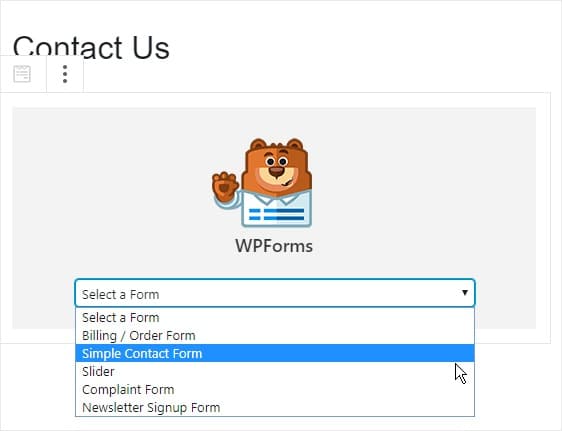
Add the contact form to your site
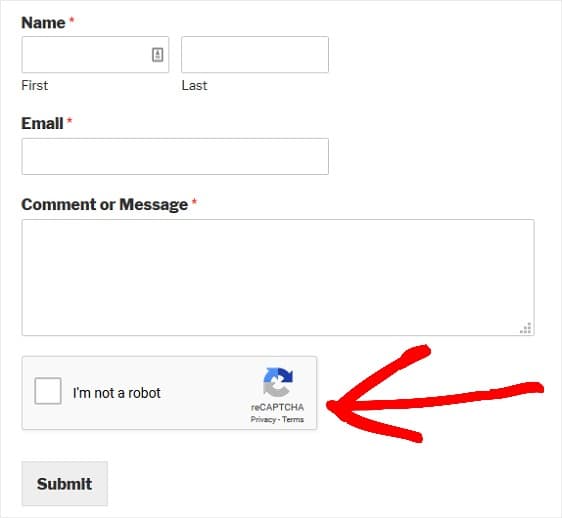
If you look at it from the frontend, it should look like this –
How to add Invisible reCAPTCHA to your forms
Adding Invisible reCAPTCHA v2 to your contact forms is somewhat similar to the above process. First, choose Invisible reCAPTCHA v2 in Step 2 above and while registering your website in Step 4, choose reCAPTCHA v2 under reCAPTCHA type and select Invisible reCAPTCHA badge. Other than that, it’s the same.
Get WPForms now
Now that you have seen how to stop WordPress contact form spam using reCAPTCHA, it’s time for you to get WPForms. The free version is great. But if you are a power user or a business owner, you might want to get WPForms Pro. It comes with a lot of other useful features that can help grow and streamline your business process. My favorites are payment forms, electronic signatures, and conversational forms (Typeform-like experience).
Discover more from Antony Agnel
Subscribe to get the latest posts sent to your email.
 Antony Agnel
Excellent post regarding spam free contact forms….
Thank you for this tutorial, Antony.
Unfortunately, we are still getting spam after having configured and successfully tested reCAPTCHA v2.
I’ve read reports of others sharing the same problem.
Do you have any insight on that by any chance?
Any idea of how spammers are “getting past” reCAPTCHA v2 challenges? Or do you think it’s actually humans submitting the message through a WPForm?
Thank you for your help and leadership.